Quick Website Setup with Framer Templates: 1 Day to 2 Weeks
Setting up a website using a Framer template can be an efficient and effective way to launch your online presence, with setup times typically ranging from 1 day to 2 weeks. The timeline largely depends on several key factors, including the complexity of the template, customization requirements, and the availability of ready-to-use content. For instance, a simple Framer template with minimal features can go live in just a day, while more feature-rich websites, such as those with e-commerce integration, dynamic content, or advanced design elements, may take up to a week or more for full setup.
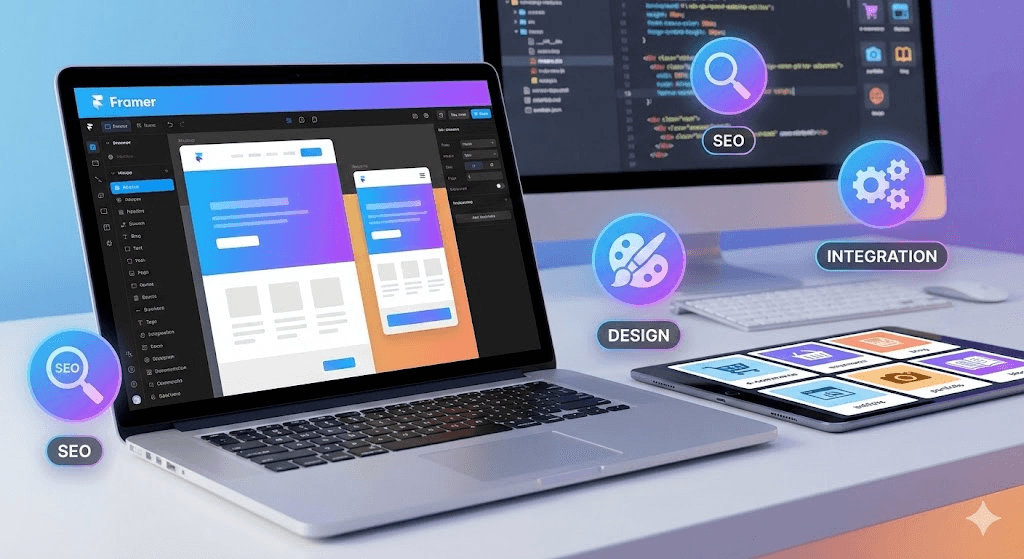
At Pentaclay, we specialize in delivering high-quality Framer templates that are SEO-optimized, conversion-focused, and designed for easy customization. Our templates are crafted with industry-leading best practices, ensuring faster launches and seamless setup for businesses across various sectors.
Whether you’re building a personal portfolio, an online store, or a complex business website, our templates help you bring your ideas to life quickly and professionally, without the hassle of starting from scratch.
What is the Average Time to Set Up a Website Using a Template?
You can set up a template-based site in one day to one week. You move fast with simple pages. Larger builds need structured content, CMS wiring, responsive tuning, and integration work before launch. This gives you a clear range so you can plan your timeline with confidence.
Template Selection and Initial Setup
This stage usually takes 1 to 4 hours. You begin by choosing a template that fits your project’s goals. Once you select it, you bring the template into your workspace and set up your platform account. A quick walkthrough of the editor helps you understand the layout engine, component tree, and styling tools. This gives you a solid starting point before you dive into deeper customization.
Content Gathering and Preparation

This phase can take 1 day to 2 weeks, depending on how prepared your materials are. Content drives the entire build, so you collect everything early. Like your text, brand visuals, product information, and media assets. If your site uses a CMS, you also prepare structured items like blog posts, categories, or product groups. Once you organize this content, the rest of the project moves faster because you’re working with clear and complete materials.
Customization and Building
Expect 1 to 8 days for this stage. This is where your site starts feeling real. You need to refine your colors, typography, and spacing so the visual system aligns with your brand identity. Your actual content replaces the placeholder blocks, and you connect the tools you rely on.
Like analytics, CRM forms, automation workflows, and other integrations. If your project includes a larger CMS, you spend additional time mapping each collection and shaping each layout to ensure everything works the way it should.
Testing and Final Quality Check

This stage takes 4 hours to 2 days. You review every breakpoint to confirm the design holds up across desktops, tablets, and mobile devices. You test navigation, forms, buttons, and all interactive pieces to make sure nothing breaks. You also refine your SEO details, like titles, meta tags, open-graph images, and sitemap rules. This step helps you clear out small issues before launch and ensures the site delivers a smooth experience.
Deployment (Launch)

Deployment usually takes 1 to 4 hours. You connect your domain, update the DNS records, and activate hosting. Once the DNS propagates, your site goes live. You then do a final check in the live environment to confirm that analytics tags, tracking pixels, and sitemap visibility all work properly from the start.
Major Factors That Affect the Setup of a Website Using a Template
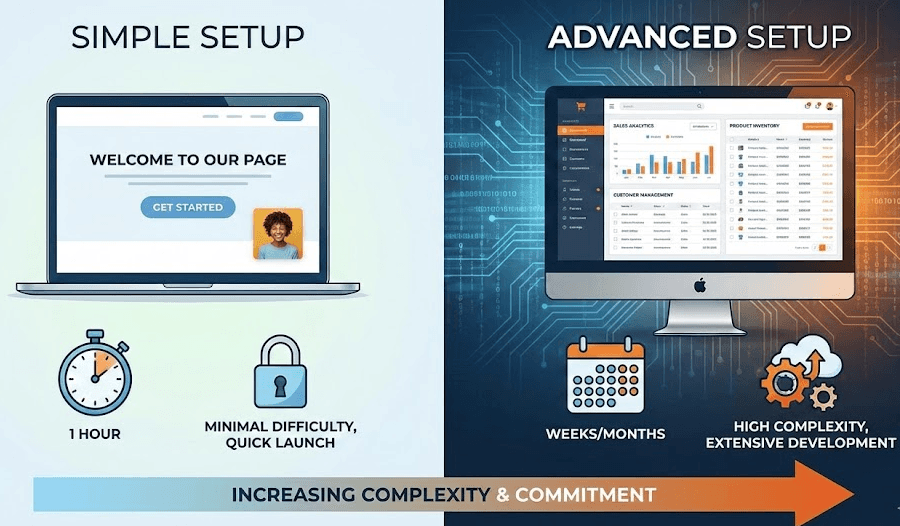
Setting up a website with a template involves more than just picking one and clicking "publish." Several factors play a role in determining how long the process will take. Here’s a breakdown of the key aspects that impact your timeline.
Complexity
The complexity of your site directly affects how long the setup will take. Simple websites like landing pages or portfolios are quick to launch, around 1-3 days. However, for feature-rich sites with e-commerce or dynamic CMS, expect 1-2 weeks or longer due to additional integrations and custom logic.
Customization
If the template needs heavy customization, such as layout tweaks, adding or removing sections, or matching your brand’s style, this will add extra time. Basic edits are quick, but significant customization could take anywhere from 3-7 days, depending on the level of detail.
Content
Content is often the biggest bottleneck. If your text, images, and media assets are ready, you’ll set up faster. But if content still needs to be written, sourced, or structured for CMS, the process could stretch to several days or a week longer.
Skill Level
Your familiarity with the platform affects speed. A seasoned user can set up a site in 1-3 days, while a beginner may need 3-7 days to navigate the platform and fine-tune the site. Familiarity with core tools and UI elements streamlines the process.
Platform
Each platform has its own quirks. Framer, Webflow, and Figma offer different levels of control, with Webflow's Designer taking longer for complex layouts. On the other hand, Framer’s simple editor may speed up basic builds. Expect shorter setup times on Framer for simple projects, while Webflow may require extra time for deeper customization.
Expert Tips to Customize a Template’s Design System Faster
Templates provide a solid foundation. By applying the right techniques, you can speed up your workflow and make customization more efficient. Here are expert methods to help customize your design system quickly and maintain consistency.
Define global style variables first (colors, fonts, spacing) and apply them across the entire project before customizing individual pages.
Use a component library or UI kit to reuse buttons, cards, and navigation bars. This avoids recreating common elements.
Apply spacing and layout tokens or classes (e.g., margin-medium, padding-large) instead of manually adjusting spacing for each element.
Replace placeholder content and media after finalizing the layout and structure. This ensures stable layout logic and avoids repeated shifts.
In Figma, use design tokens and shared style libraries so that any change made in one place updates throughout the entire project.
Optimize image assets before importing them. Use compressed formats and standardized dimensions to prevent layout issues and improve load speed.
Keep typography consistent by limiting font families and using global text styles instead of inline styling.
Test responsive layouts early using grids or flexbox in your platform. This helps you identify layout issues before adding content.
Document your style rules and component usage so future edits don’t disrupt visual consistency. Treat the template like a mini design system.
In Closing
Setting up a website using a template is a quick and efficient way to get online, with timelines varying based on complexity and customization needs. Understanding the factors that affect setup time allows for better planning and smoother execution.
Pentaclay offers premium Framer, Webflow, and Figma templates that simplify the process. Explore our collection today and accelerate your website launch with ready-to-use, high-conversion templates designed for your success.
Frequently Asked Questions
Question: Can I Use A Template For A Complex Website Like E-Commerce Or A Large Cms?
Answer: Yes, templates can be customized to suit e-commerce and CMS-driven sites. However, these may require additional integrations, such as payment gateways or custom databases, which can increase setup time.
Question: How Do I Make My Template Responsive For Mobile Devices?
Answer: Most modern templates are already built with responsive design principles. However, you should test breakpoints, adjust layouts, and refine elements for smaller screens to ensure optimal performance on mobile devices.
Question: Do I Need Coding Skills To Customize A Template?
Answer: No, coding skills are not required to customize most templates. You can adjust layouts, change text, replace images, and tweak colors using the platform's built-in editor. Coding may be needed for advanced customizations.
Question: How Do I Speed Up The Process Of Setting Up A Website With A Template?
Answer: To speed up setup, have your content ready, choose a template that matches your needs, and stick to basic customizations. This minimizes edits and allows for a faster launch.