Best Webflow Portfolio Templates
"Looking for the best Webflow portfolio templates to showcase your work and win better clients? Whether you need Webflow templates for creatives and freelancers with visual-first layouts, a Webflow personal portfolio template that puts your projects front and center, or a Webflow creative agency portfolio template that makes your case studies impossible to ignore — this curated collection covers every creative discipline, from photographers and designers to studios and agencies, with conversion-ready structure from $59."


Choosing the right Webflow portfolio template is easier when you compare the strongest options side by side. This page helps you find designs that match your goals, your creative discipline, and the specific impression you need to make on the clients you most want to attract.
Your portfolio website is your most important sales tool — and how it presents your work in the first three seconds determines whether a potential client scrolls further or closes the tab and moves to the next option in their search results. For designers, photographers, creative studios, and independent practitioners, a strong portfolio is not just about showing work — it is about telling a story, building credibility, communicating your specific creative perspective, and guiding visitors toward taking the action you want them to take.
Many portfolios fall short in the same ways: cluttered layouts that compete with the work for visual attention, unclear project presentation that shows outputs without explaining thinking or outcomes, or a lack of structural guidance that leaves visitors unsure what to do next after viewing a project. Even genuinely talented creatives struggle to present their work effectively online — not because their work is not strong enough but because the template they are working with was not built for their specific creative discipline and conversion goal.
That is where the best Webflow portfolio templates make a real difference. Instead of starting from zero and spending weeks figuring out portfolio architecture, project page structure, and inquiry flow, you start with a foundation that has already solved those problems for your specific type of creative work. You spend your time on the 20% that is uniquely yours — your work, your story, your brand — rather than the structural decisions that every portfolio needs but none of your clients will ever notice.
In this guide you will find a curated selection of premium Webflow portfolio templates that are especially useful for designers, photographers, creative studios, personal brand builders, and freelance creative practitioners across every major creative discipline. Each template is selected based on its portfolio presentation quality, case study structure, personal brand expression capability, and inquiry conversion flow — not visual impressiveness in a preview screenshot alone.
What Makes a Great Webflow Portfolio Template
A great portfolio template does more than display projects — it communicates your value as a creative practitioner, builds the specific type of trust that your target client needs to feel before they reach out, and makes the decision to contact you feel like the natural next step rather than an effortful action.
Three things separate a genuinely effective Webflow portfolio template from one that just looks impressive in a thumbnail.
Visual storytelling that earns the inquiry. Instead of simply listing completed work, your portfolio should guide visitors through your projects in a way that communicates your thinking, your process, and the specific outcomes you delivered — not just the visual outputs. Templates that support structured storytelling help potential clients understand how you think and work, which is what converts a viewer who is impressed by your portfolio into a client who is confident enough to reach out.
Work-first layout hierarchy. A portfolio template whose design competes with the work for visual attention is actively working against you. The best Webflow portfolio templates are structurally subordinate to content — they create a visual environment where your projects are the dominant element and the template itself disappears into the background. Minimal UI chrome, deliberate use of negative space, and generous image presentation all serve the work rather than the template.
Personal brand expression alongside the work. Clients choose the person as much as the portfolio — especially for ongoing relationships, high-value projects, and creative categories where trust and aesthetic alignment matter more than technical specification. Templates that give you structural space to communicate who you are, what you believe about your craft, and what it is like to work with you convert more qualified clients than templates that are purely work-display focused.
Key Features to Look For in Webflow Portfolio Templates
When evaluating a Webflow creative agency portfolio template or individual creative portfolio, focus on the features that directly impact client acquisition rather than the features that look impressive in a designer's preview.
Portfolio and project showcase with depth. Look for templates that allow you to present projects visually while also including the written context that explains your process and your outcomes. A portfolio that shows what you made without explaining the thinking behind it, the problem it solved, or the impact it delivered is significantly less persuasive than one that tells the full story. Case study structure — problem, approach, outcome — is the difference between a gallery and a sales tool.
Webflow CMS for ongoing portfolio management. With CMS functionality, you can add new projects, update case studies, and expand your portfolio as you complete new work — without opening the Designer to rebuild pages. For an active creative practitioner who wins new projects regularly, this is essential. Your portfolio should reflect your current capabilities and your most recent and most relevant work — not what you were doing eighteen months ago when you built the site.
Inquiry and contact flow that converts. What happens after someone decides they want to work with you? A strong portfolio template has a clear project inquiry section — ideally with context about the types of projects you take on, your current availability, and what information you need from a potential client to evaluate fit. The easier you make it for a qualified potential client to reach out, the higher your inquiry conversion rate will be.
Responsive design and performance across all devices. Your portfolio audience accesses your site from multiple devices — often on a phone while commuting or on a tablet in a meeting. Templates that look exceptional on desktop but break on mobile are actively losing you inquiries from potential clients who found you in the right place at the wrong time. Every template in the Pentaclay Webflow portfolio collection is fully responsive and performance-optimized.
Personal brand expression sections. Your portfolio should reflect who you are — your style, your approach, your creative philosophy, and your personality. Templates that give you dedicated structural space for a personal story, a working-with-me section, or a creative philosophy statement help you create a more unique and memorable presence that attracts the specific clients you most want to work with rather than every client who needs a designer.
Best Webflow Portfolio Templates
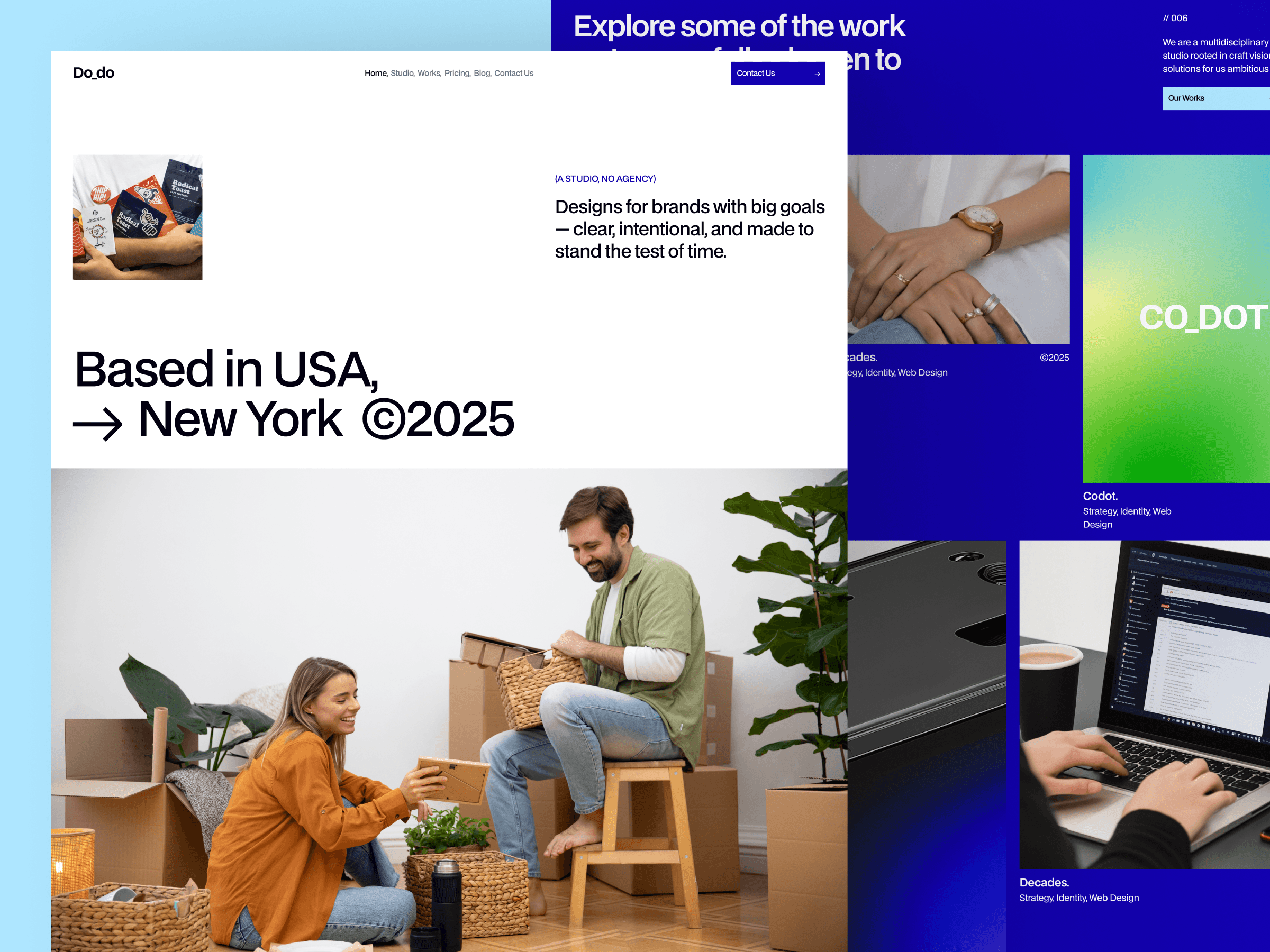
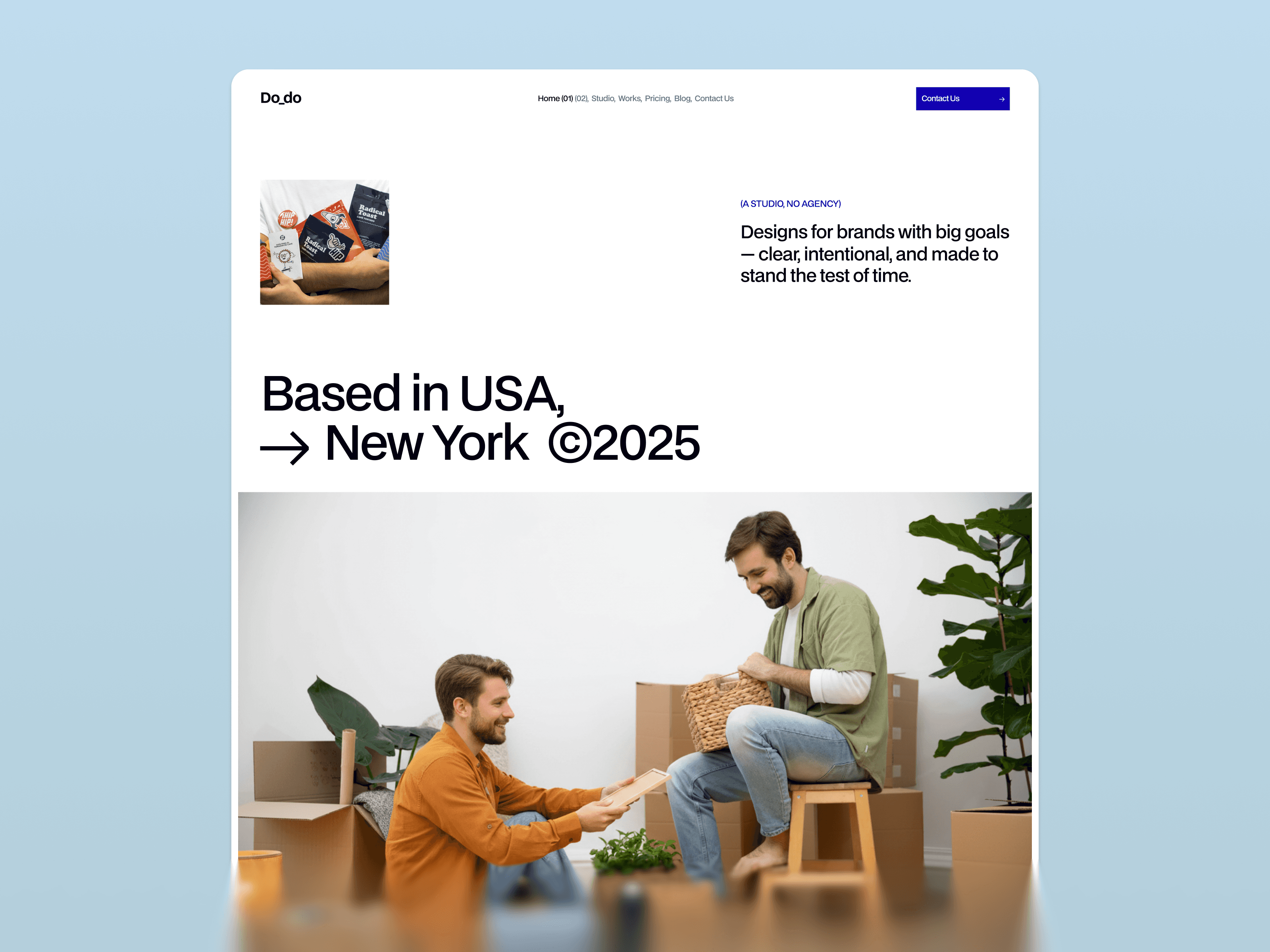
Do Do Studio is the most design-expressive portfolio template in the Pentaclay Webflow collection — built for creative studios, boutique design agencies, and design-forward practitioners where the aesthetic quality of the portfolio website itself is the first and most powerful proof point of the studio's creative capability and design perspective. The bold typographic identity, portfolio-first layout, and editorial design system communicate creative sophistication and genuine aesthetic conviction before a visitor reads a single project description or clicks through to a single case study.
The design system is deliberately confident and opinionated — reflecting the visual conviction that the best creative studios communicate through every client touchpoint. Portfolio sections are structured to present work at full visual impact, with minimal UI chrome getting in the way of the creative output. The studio story and philosophy sections give you the structural space to communicate the specific creative point of view that differentiates your studio from every other agency making similar claims about quality, craft, and creative thinking.
Best for: Creative studios with a strong visual identity, boutique design agencies, branding and identity firms, UX and product design studios, motion and animation studios, and any creative business where the quality of the portfolio website's own design is the primary argument for hiring the team behind it.
What's included:
Bold editorial design system with confident typographic hierarchy
Portfolio-first layout with full visual impact showcase sections
Studio story and creative philosophy section
Service breakdown with visual-first presentation
Client testimonials and project attribution
Contact and project inquiry flow
Webflow CMS for portfolio projects and studio blog
Why it stands out: Do Do Studio is the right template when your studio's design identity is your most powerful competitive advantage — where the experience of visiting the website is itself the argument for hiring you. For creative studios, a generic portfolio template is a credibility signal in the wrong direction. Do Do Studio communicates from the first impression that you have a genuine creative perspective and the execution quality to back it up. The portfolio sections are structured to let the work speak at full volume without the template competing for the visitor's attention.
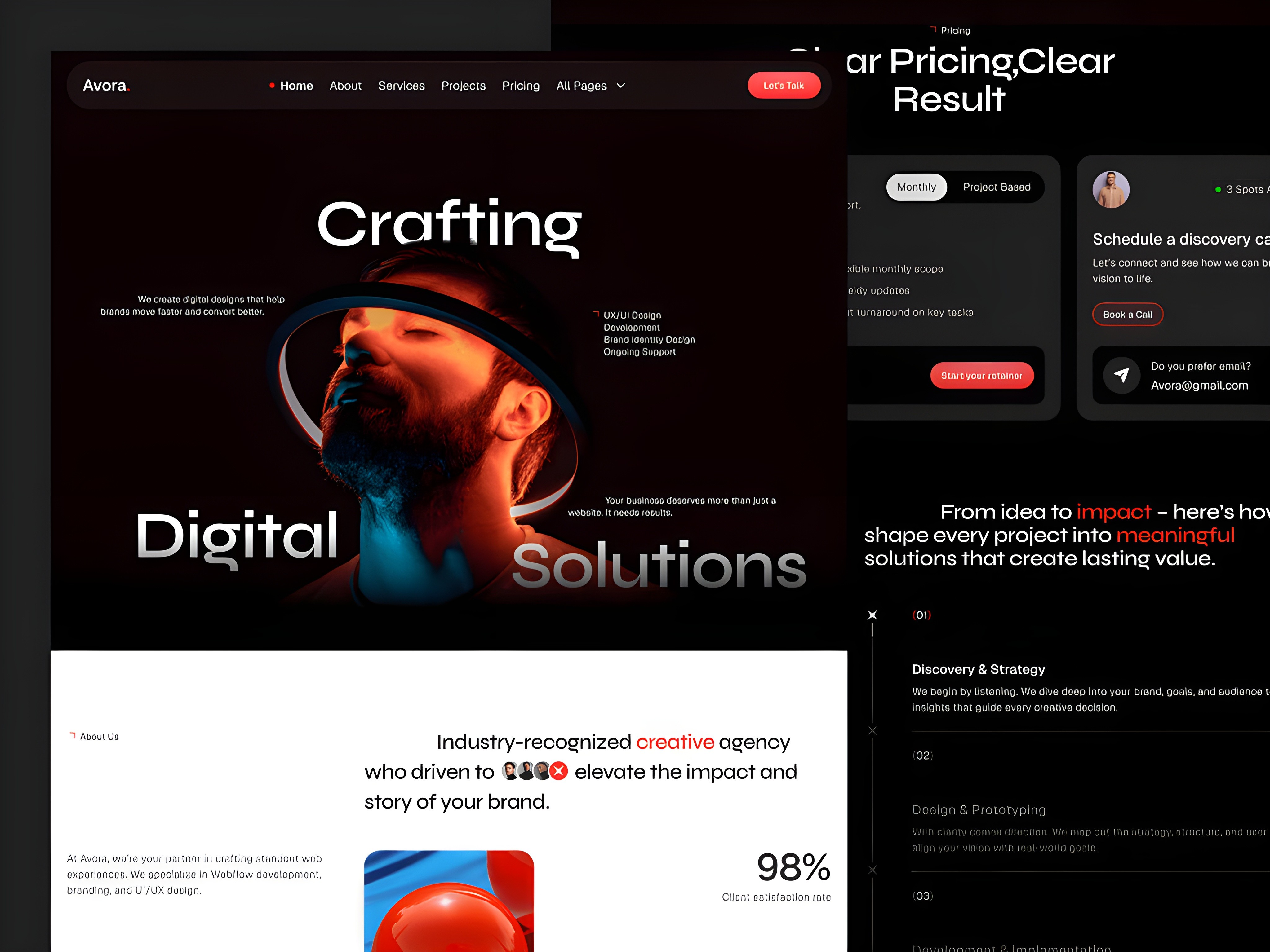
Vayro is built for multidisciplinary creative practitioners, hybrid designers, and creative professionals whose work spans multiple disciplines or project types and who need a portfolio structure that can present that breadth clearly without sacrificing depth on any individual category. The template is structured around a flexible project showcase system that handles different types of creative output — visual design, motion, strategy, writing, photography, development — within the same coherent design system without requiring a structural rebuild every time the project type changes.
The design system is clean and adaptable rather than narrowly opinionated — which is a deliberate strategic choice for a template built for creative generalists and multidisciplinary practitioners. A portfolio template with a predetermined strong visual identity communicates a specific aesthetic perspective, which is exactly right for a studio with a defined style but exactly wrong for a multidisciplinary practitioner whose value is the ability to match their aesthetic approach to each client's specific needs and brand context.
Best for: Multidisciplinary designers and creative directors, hybrid creative practitioners who work across multiple disciplines, art directors with broad portfolio types, creative generalists building a personal brand, and any creative professional whose work spans enough different project categories that a narrowly opinionated portfolio template would misrepresent the breadth of their capability.
What's included:
Clean, adaptable design system that supports multiple creative output types
Flexible project showcase system for different project categories
About and creative philosophy section
Services or capabilities breakdown
Client testimonials and project attribution
Project inquiry and contact flow
Webflow CMS for portfolio projects with category filtering
Why it stands out: Vayro solves the most common structural challenge for multidisciplinary creatives — presenting breadth without sacrificing depth or coherence. Most portfolio templates are designed for one specific creative discipline, which means multidisciplinary practitioners have to either force their work into an inappropriate structure or spend weeks customizing a template that was not built for their situation. Vayro is purpose-built for the creative generalist who needs a portfolio that is as versatile as their work.
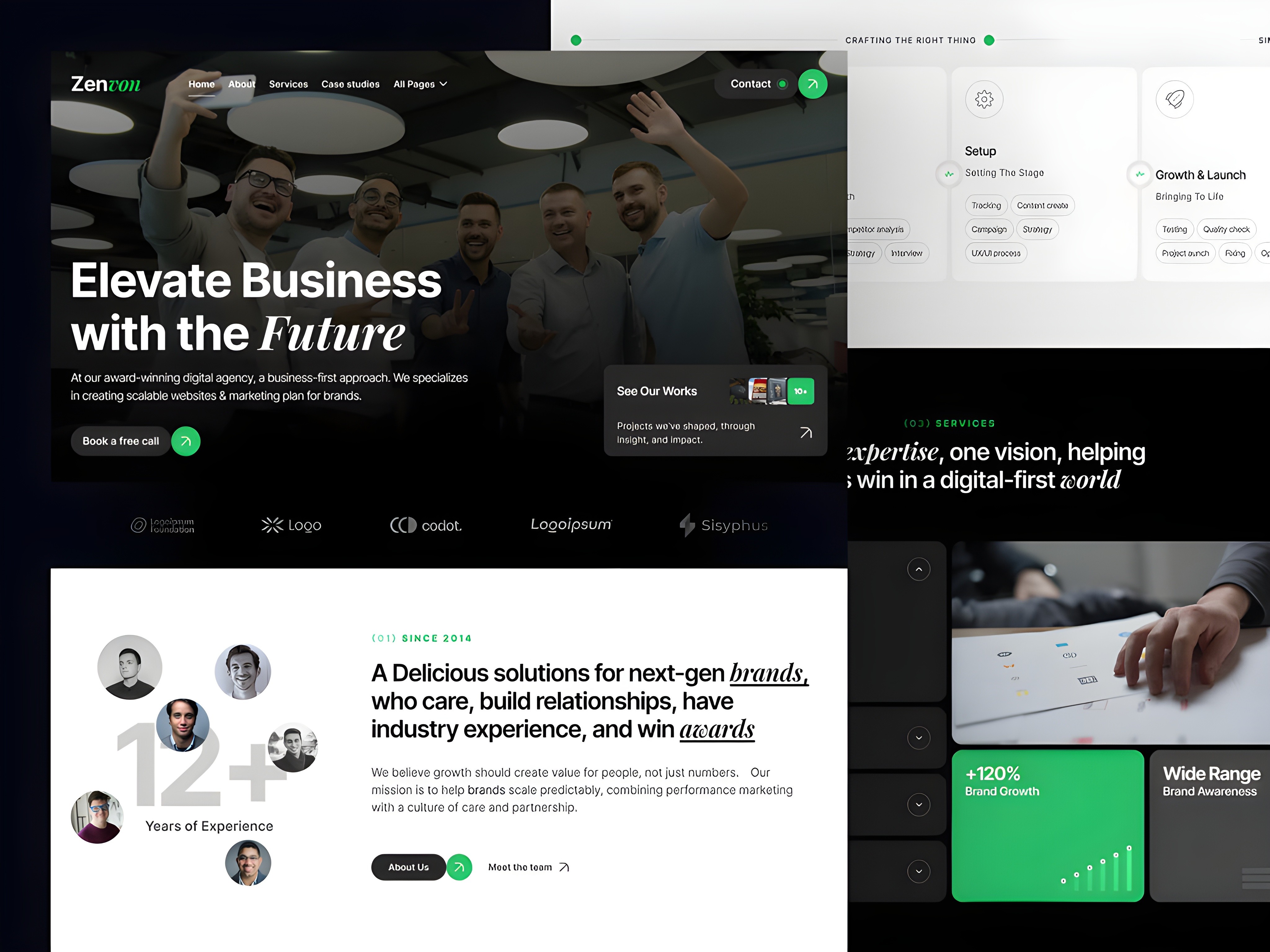
Zenvon is a typography-led, deliberately minimal Webflow portfolio template built for creative practitioners whose aesthetic sensibility is defined by restraint, precision, and the deliberate use of negative space — where less communicates more and where the portfolio's own design is a demonstration of the kind of thinking that goes into every client project. The typographic hierarchy is the primary design element, which means the work has to carry the visual weight — and that is exactly the right approach for a portfolio where design quality is evaluated through subtlety rather than expressiveness.
The minimal design language is not a limitation — it is a positioning statement. A creative practitioner who chooses a minimal portfolio template is communicating something specific about their aesthetic philosophy and their approach to visual problem-solving. Zenvon is built to make that statement with conviction, using carefully considered typographic choices, deliberate spacing decisions, and a restrained color palette that communicates sophisticated taste without requiring any visual complexity to do so.
Best for: Graphic designers with a minimal aesthetic sensibility, typographers and type-focused designers, editorial designers and art directors, branding designers who work in refined visual registers, UX designers who value clarity over expressiveness, and any creative practitioner whose work is best evaluated through precision and restraint rather than visual dynamism.
What's included:
Typography-led minimal design system with deliberate negative space
Work-first portfolio layout with distraction-free project showcase
About and creative perspective section
Services and specialization breakdown
Client testimonials with careful attribution
Contact and inquiry section
Webflow CMS for portfolio projects and writing
Why it stands out: Zenvon is the right choice when your portfolio's restraint is itself a demonstration of design capability. In the typography and minimal design space, the quality of what you do not include communicates as much as what you do — and a portfolio template that cannot execute restraint with conviction is the wrong foundation for a practitioner whose work is defined by it. Zenvon delivers that conviction from the first impression.

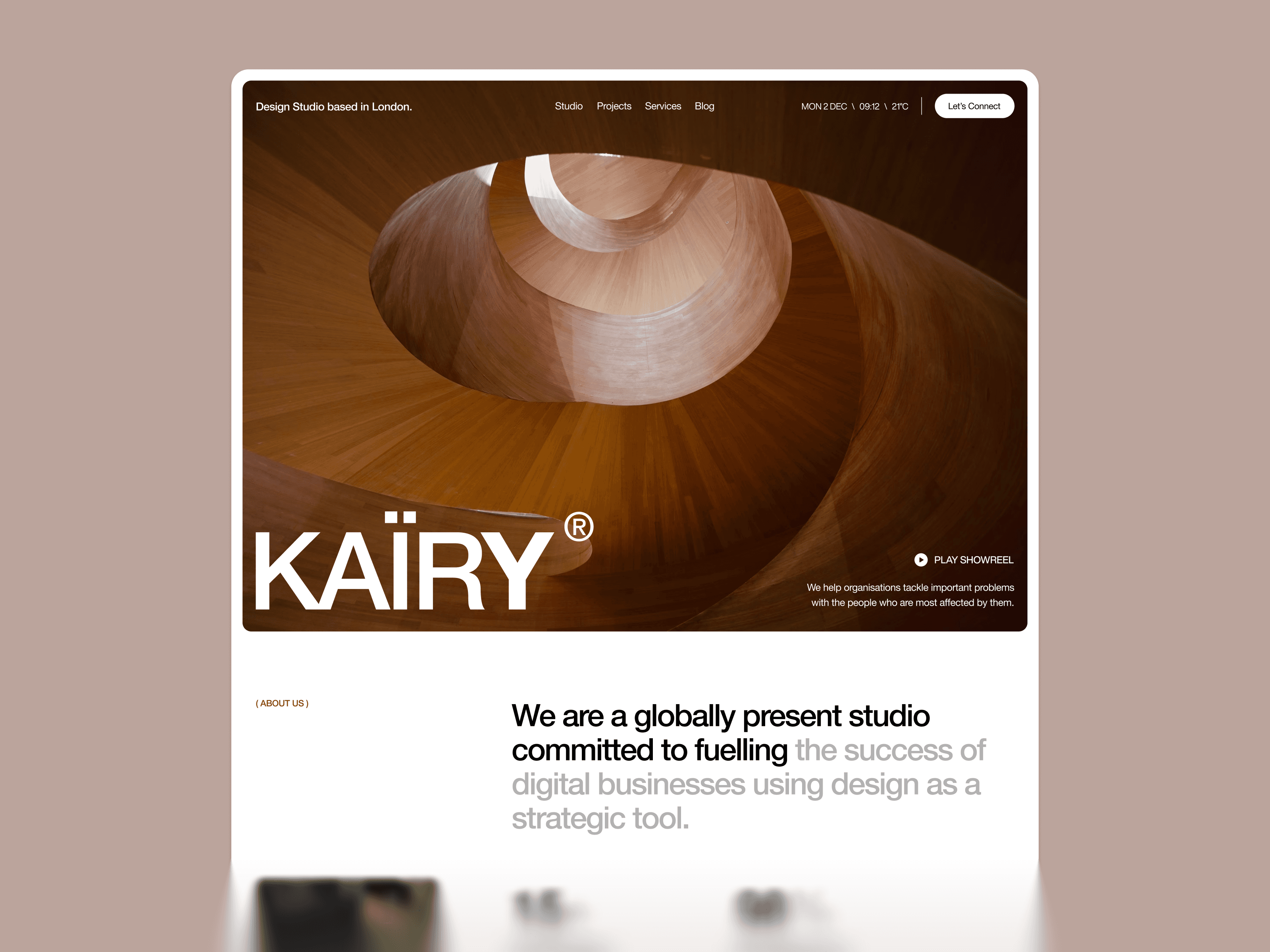
Kairi Studio is purpose-built for visual artists, illustrators, and image-making studios where the work needs to be experienced at scale and with full visual impact — not constrained by a template structure that was designed for case study presentation rather than pure visual communication. The image-forward layout, gallery-first page structure, and artist story sections create a presentation environment where illustration and visual art work can breathe and communicate without the template competing for the viewer's attention.
The design system reflects the warm, human-centered visual language that illustration and visual art clients expect from a practitioner's portfolio — not the cool, systematic aesthetic of a technology or branding studio but the more personal, expressive register of a creative practice that is rooted in individual visual perspective and artistic voice. The artist story and creative process sections give you the structural space to communicate the perspective behind the work, which is what transforms a gallery browser into a client who specifically wants to work with you.
Best for: Illustrators and visual artists, animation and motion artists, editorial and book illustrators, brand illustrators and visual identity artists, concept artists and art directors, and any image-making creative practitioner whose portfolio is primarily visual and whose clients evaluate work quality through immediate aesthetic impression and visual personality rather than technical specification.
What's included:
Image-forward design system with gallery-first page structure
Full-bleed project and artwork showcase sections
Artist story and creative process section
Commission or project types breakdown
Client and publication testimonials and attribution
Commission inquiry and contact flow
Webflow CMS for portfolio projects, series, and blog
Why it stands out: Kairi Studio is the only template in this collection built specifically around the presentation needs of visual artists and illustrators — where the work needs to be experienced at full visual scale rather than presented within a structured case study framework that was designed for design thinking documentation rather than visual art appreciation. The image-forward layout gets out of the way of the work and lets the visual personality of the art communicate directly to the viewer.
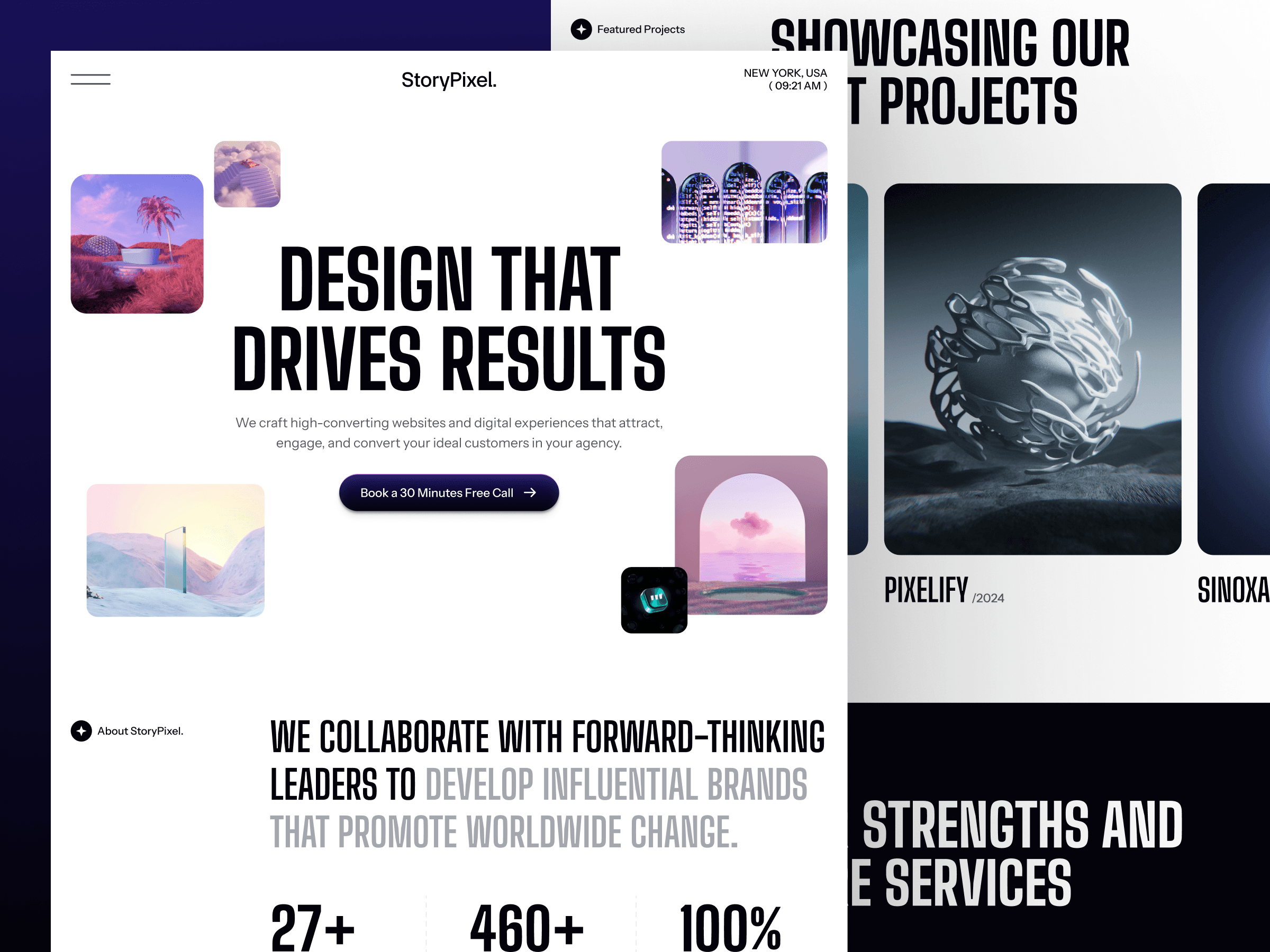
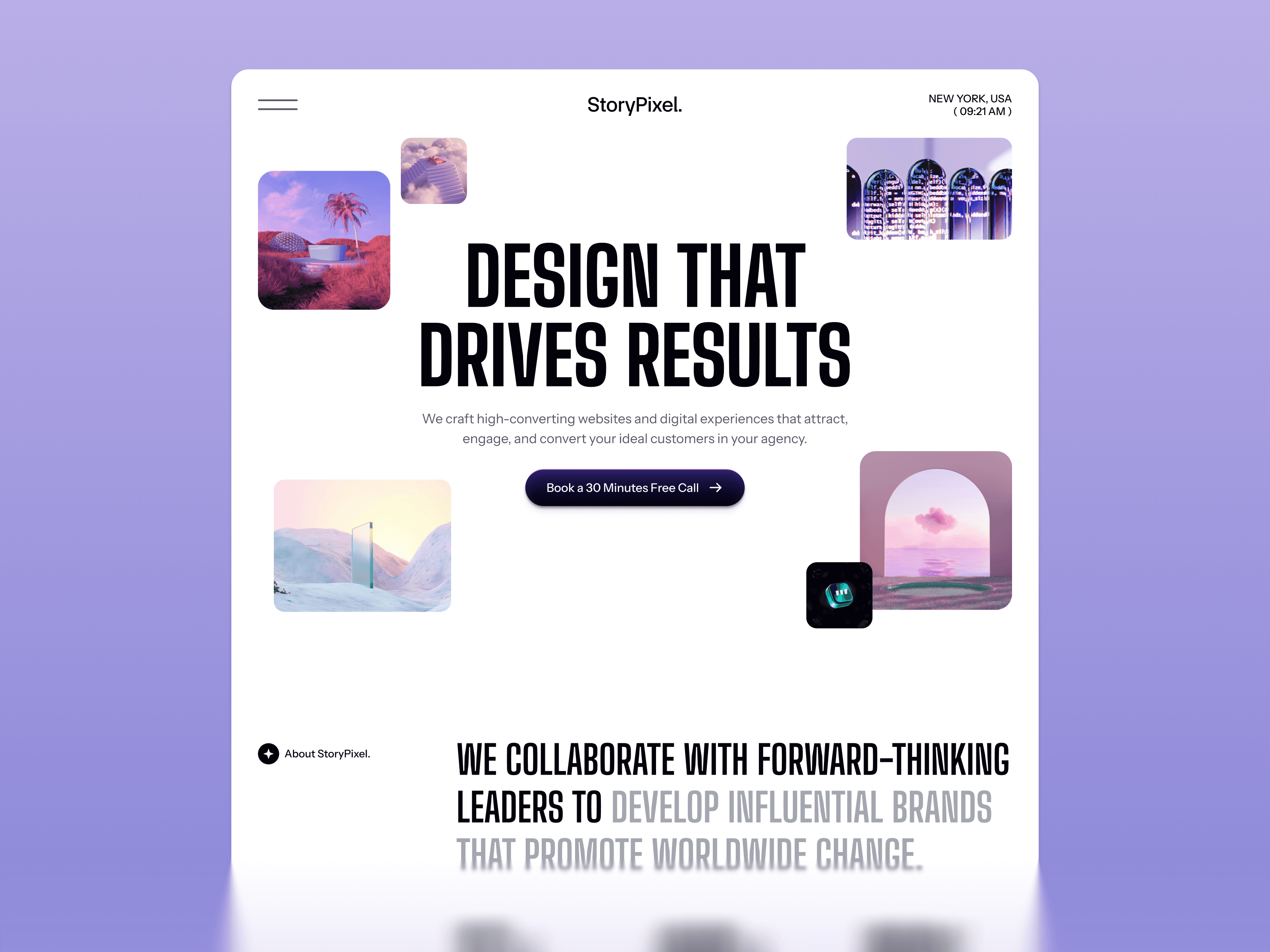
Storypixel is purpose-built for photography studios, film production companies, and visual storytelling agencies where the portfolio is the primary sales tool and where the quality of its presentation determines whether a potential client makes contact or moves on. The full-width imagery sections, editorial grid structure, and minimal UI chrome create a visual environment where photography and video content feel like the natural center of the page — not assets inserted into a template structure that was designed for something else entirely.
The layout is structured around how photography and visual media clients actually evaluate creative businesses: by looking at the work first, in large format, without distraction, before they evaluate credentials, process, or pricing. The studio story, services, and contact sections are all structured to support the work rather than compete with it for visual attention — because a photography portfolio where the template is more visually interesting than the photography is a portfolio that has already failed its primary conversion goal.
Best for: Photography studios and agencies, film and video production companies, visual content agencies, documentary and editorial photography businesses, brand and commercial photography studios, wedding and lifestyle photographers, and any visual creative whose portfolio is primarily photography or moving image and whose work needs to be experienced at scale to communicate its full quality.
What's included:
Full-width photography-first layout with minimal UI chrome
Editorial grid structure for portfolio and series presentation
Studio story and photographer biography section
Services section structured for photography and film offerings
Client testimonials and project attribution
Session or project inquiry form
Webflow CMS for portfolio galleries, projects, and blog
Why it stands out: Storypixel solves the most common failure mode in photography portfolio websites — the work is exceptional but the template gets in the way of experiencing it. The full-width layout, editorial grid, and minimal UI chrome create a presentation environment where imagery can communicate at its full impact rather than being constrained by a template structure that was not designed for visual-first content. For any photography studio or visual storytelling agency, it is the most purpose-appropriate template in the Pentaclay Webflow portfolio collection.
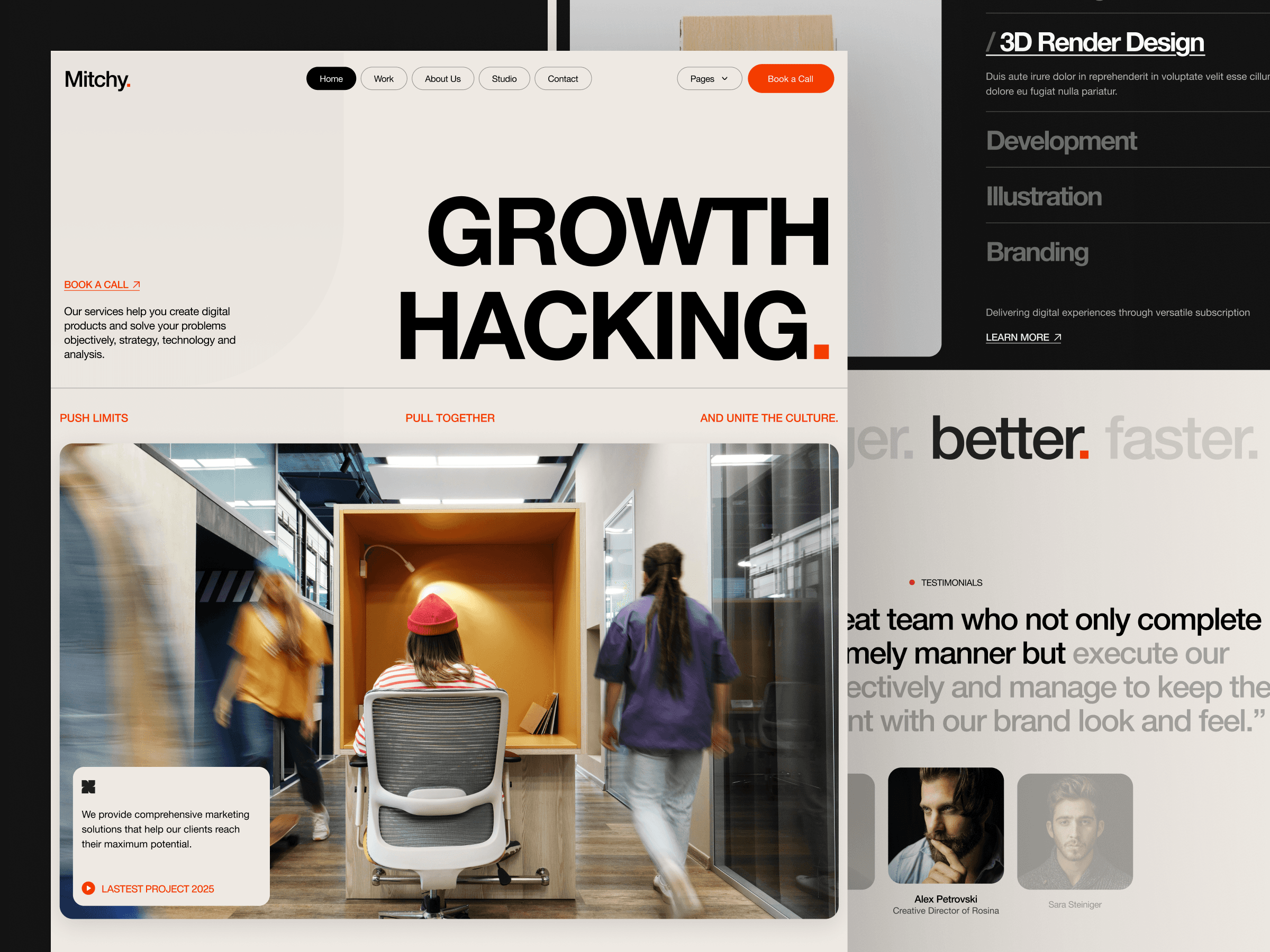
Mitchy is a clean, minimal Webflow portfolio template built for boutique creative studios, freelance designers, and independent creative practitioners who need a polished, professional portfolio without the structural complexity of a full-service studio template. The design system removes unnecessary complexity while maintaining the professional credibility that creative clients evaluate before they make first contact — giving you a starting point that looks established and capable without the overhead of sections you do not need at your current stage of practice.
The modular section structure and clean navigation make Mitchy easy to customize quickly — which matters for freelancers and boutique studios who need to get a professional portfolio live as fast as possible so they can focus on client delivery rather than site building. The portfolio showcase, about, and contact sections are all structured around the specific conversion goal of an independent creative: getting a qualified potential client to make contact after seeing enough of your work to be confident about the fit.
Best for: Freelance designers and creative practitioners, boutique creative studios, independent art directors, solo UX and product designers, small multidisciplinary creative teams, and any creative professional or small studio that needs a clean, professional portfolio without the complexity of a full-service agency template that would take weeks to customize properly.
What's included:
Clean, minimal design system for boutique studio and freelance positioning
Portfolio showcase with visual-first project layout
About and creative perspective section
Service or specialization breakdown
Client testimonials and social proof
Simple, effective contact and project inquiry section
Webflow CMS for portfolio projects and blog
Why it stands out: Mitchy is the right template when you need a professional, credible portfolio without spending weeks on customization. Its simplicity is a strategic choice — it makes the content and the work the primary elements and gets out of the way, which is the correct approach for a freelancer or boutique studio where personality, work quality, and clarity of communication close deals more effectively than visual complexity or template sophistication. The clean structure gets you to a publish-ready portfolio faster than any other option in the collection.
Justine — Best Webflow Portfolio Template for Personal Brand & Founder-Led Creative Businesses · $79
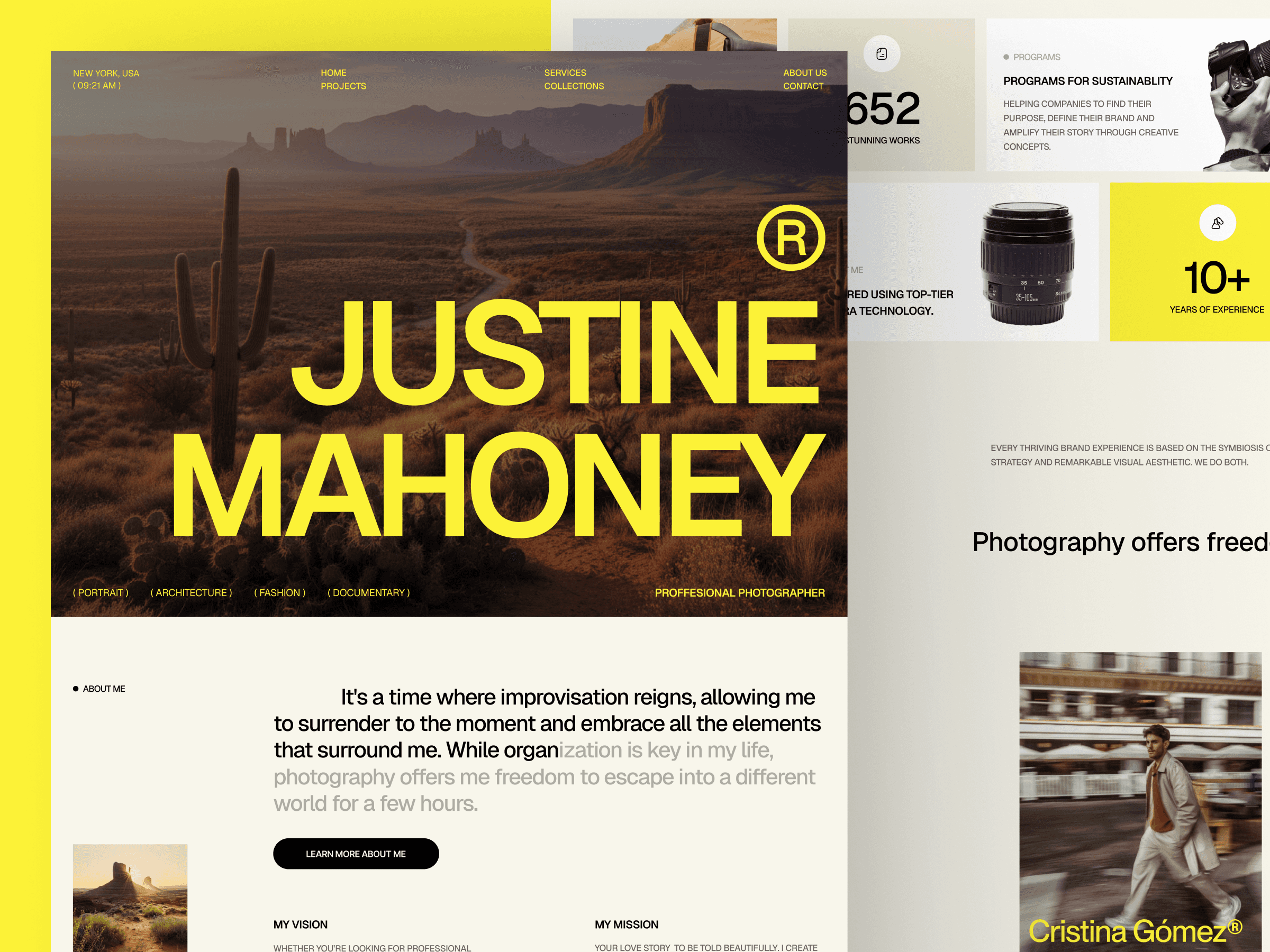
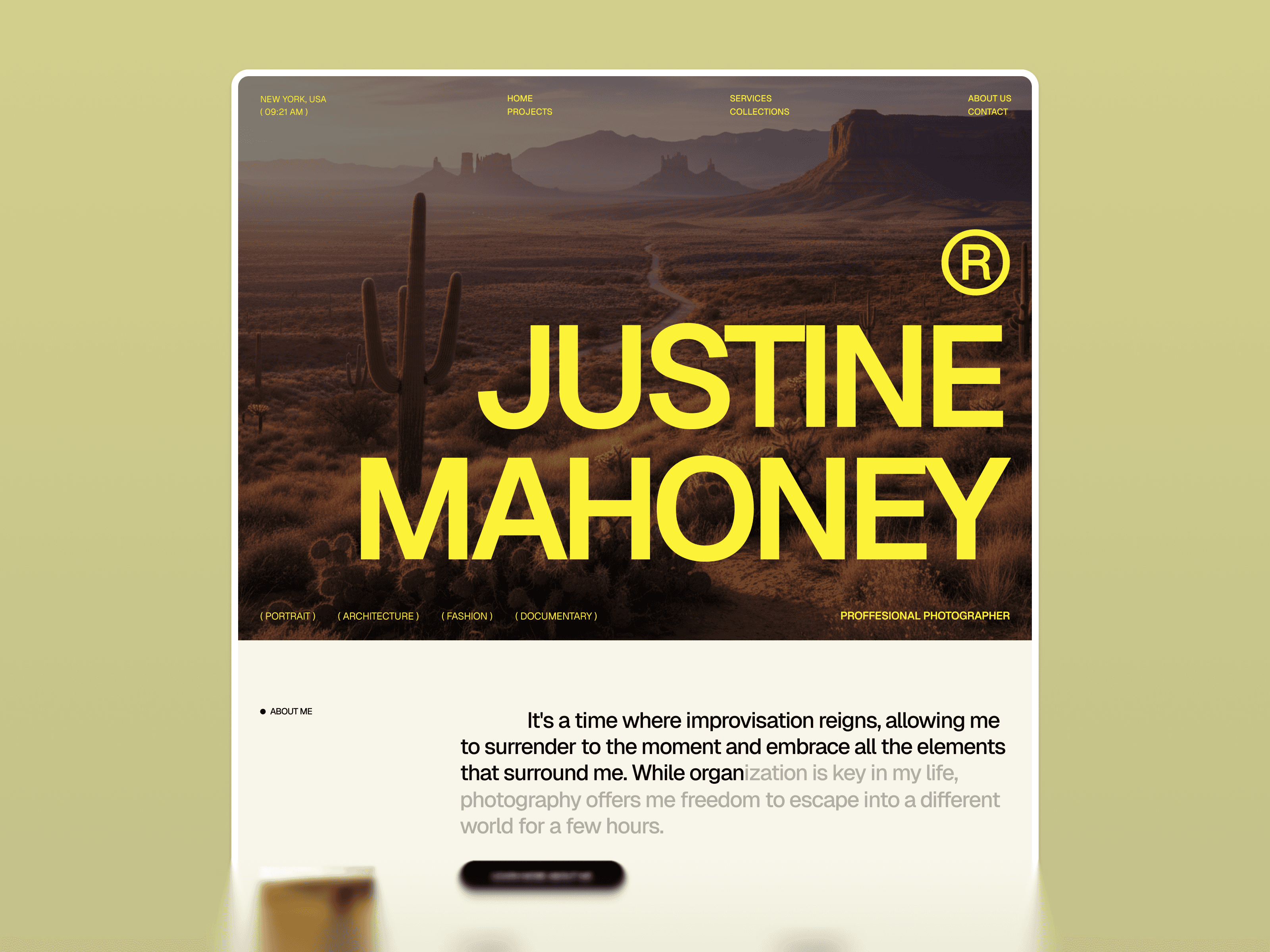
Justine is a personal brand-focused Webflow portfolio template built for founder-led creative businesses, individual creative consultants, and personal brand practitioners where the person behind the work is the primary differentiator and the primary trust signal for a potential client. In a market where clients increasingly choose the individual practitioner rather than the company — where they are hiring a specific person's perspective, experience, and creative identity rather than an organizational capability — having a portfolio that puts your personal story, philosophy, and creative identity front and center is not just a design preference. It is a strategic conversion advantage.
The template is structured around the specific conversion journey of a personal brand client — who you are and what you stand for in the hero, what you have done and the evidence of your creative capability in the portfolio and case study sections, what your creative philosophy and approach look like in the about section, and what it is like to work with you in the process and inquiry sections. This narrative sequence builds the personal trust that founder-led creative businesses rely on to convert cold visitors into clients who specifically want to work with you rather than any equally capable practitioner.
Best for: Founder-led creative studios, individual creative consultants, creative coaches and educators, personal brand builders who offer design or creative services, creative directors positioning at the personal brand level, and any creative practitioner whose primary competitive advantage is their individual perspective, accumulated experience, and specific creative identity rather than organizational scale or team depth.
What's included:
Personal brand-first design system with story-driven hero section
Portfolio and case study sections with personal narrative framing
Founder story and creative philosophy section communicating individual perspective
Services breakdown with personal approach descriptions
Client testimonials with personal attribution and relationship context
Working-with-me process section reducing friction in the inquiry decision
Contact and discovery call booking flow
Webflow CMS for blog, case studies, and personal content
Why it stands out: Justine is the only template in this collection built specifically around the personal brand portfolio conversion dynamic — where the client is choosing a person rather than a company and where trust is built through authentic individual expression rather than institutional credibility. The founder story, creative philosophy, and working-with-me sections give you the structural space to communicate the individual perspective that makes you the right choice for the specific clients you most want to work with. For founder-led creative businesses, it is the most strategically appropriate portfolio template in the Pentaclay Webflow collection.
How to Choose the Right Webflow Portfolio Template
The decision comes down to four factors: your creative discipline, your target client type, your portfolio's visual character, and the positioning you need to establish from the very first impression a potential client forms of your work.
If you run a creative studio with a strong design identity — Do Do Studio is your strongest starting point. It is the only template in this collection where the website's own design quality is the primary argument for hiring the team behind it — which is exactly the right conversion dynamic for a creative studio where clients are evaluating aesthetic judgment before everything else.
If your work spans multiple creative disciplines — Vayro's flexible project showcase system handles different project types within the same coherent design system without requiring a structural rebuild for each category. It is the right choice when breadth is your value and no single-discipline template would accurately represent what you do.
If your aesthetic is defined by restraint and typographic precision — Zenvon's typography-led minimal design communicates your sensibility from the first impression. For practitioners in the editorial, branding, and minimal design space, the template's restraint is itself a demonstration of the design thinking that goes into your client work.
If your work is primarily illustration or visual art — Kairi Studio is the only template in this collection built specifically around the presentation needs of image-making practitioners. The gallery-first layout and artist story sections create the right presentation environment for visual art that needs to be experienced rather than explained.
If your portfolio is primarily photography or moving image — Storypixel's full-width layout, editorial grid, and minimal UI chrome create a presentation environment where visual work can communicate at its full impact without the template competing for the viewer's attention.
If you are a freelancer or boutique studio that needs to launch fast — Mitchy's clean, minimal structure gets you to a professional, credible portfolio in the least amount of customization time. Its simplicity is the right strategic choice for a practitioner whose time is better spent on client delivery than template customization.
If your personal brand is your primary competitive differentiator — Justine is purpose-built for the personal brand portfolio conversion dynamic. The founder story, creative philosophy, and working-with-me sections give you the structural space to communicate the individual perspective that makes you the right choice for the specific clients you most want to attract.
On licensing: all templates are available as single-site licenses at $59 to $79. If you are building portfolios for multiple clients or managing your own portfolio alongside client work, the All Access plan at $169/year covers unlimited websites across the entire Pentaclay library — 15+ Webflow templates, 50+ Framer templates, and 60+ Figma templates — making the per-project cost significantly lower than individual template purchases.
Frequently Asked Questions
What are the best Webflow portfolio templates?
The strongest options in the Pentaclay Webflow library for creative portfolios are Do Do Studio, Vayro, Zenvon, Kairi Studio, Storypixel, Mitchy, and Justine — each purpose-built for a different creative discipline and portfolio conversion goal. Do Do Studio is the strongest for creative studios with a defined design identity. Storypixel is the only one purpose-built for photography and visual media presentation. Justine is the most appropriate for personal brand and founder-led creative businesses.
Can I customize a Webflow portfolio template for my specific creative discipline?
Yes. All templates are fully customizable in Webflow's Designer without code. Typography, colors, layout sections, images, and copy are all editable directly in the visual interface. Brand-level changes — updating your primary color, swapping your logo, adjusting your typographic scale — propagate across all pages simultaneously, making the customization process significantly faster than platforms that require page-by-page editing.
Do these Webflow portfolio templates include CMS for ongoing portfolio management?
Yes. Every template in this collection is Webflow CMS-compatible and includes portfolio project section structures with proper collection page architecture. You can configure Webflow CMS collections for portfolio projects, case studies, blog posts, and client work — enabling you to add new projects quickly without opening the Designer every time you win new work. Browse Webflow Templates with CMS for templates with CMS infrastructure pre-configured.
Are Webflow portfolio templates SEO-friendly?
All Pentaclay Webflow templates are built with clean HTML structure, semantic heading hierarchy, and performance-optimized code. Webflow's native SEO settings give you full control over title tags, meta descriptions, and canonical URLs at the page level. For creative practitioners, local and niche SEO is often a significant source of qualified client inquiries — making a properly structured, fast-loading portfolio template an important foundation for organic discoverability.
Can freelancers use these Webflow portfolio templates?
Yes. Mitchy, Justine, Vayro, Zenvon, and Storypixel are all well-suited for solo creatives and freelancers. The portfolio, case study, and about sections work equally well for individual practitioners and small studios — and several templates in the collection are specifically designed with the freelancer conversion journey in mind.
Do I need a Webflow subscription to publish my portfolio?
Yes — a Webflow hosting plan is required to publish on a custom domain. Webflow's Basic plan ($14/month) covers a single static site. The CMS plan ($23/month) is recommended for portfolio templates with project collection pages, blog sections, and dynamic content — which describes most of the templates in this collection. The template purchase is a one-time cost separate from the ongoing Webflow hosting subscription.
What is the difference between a single license and All Access?
A single-template license covers one website at a one-time price of $59 to $79. The All Access plan at $169/year covers unlimited websites across the entire Pentaclay library — 15+ Webflow templates, 50+ Framer templates, and 60+ Figma templates. All Access is the best value for creative practitioners managing multiple client portfolio projects or agencies building portfolio sites regularly as part of their service offering.
The seven templates on this page — Do Do Studio, Vayro, Zenvon, Kairi Studio, Storypixel, Mitchy, and Justine — cover the full spectrum of creative portfolio types the Pentaclay Webflow collection serves: creative studios with strong design identities, multidisciplinary creative practitioners, minimalist and typography-forward designers, visual artists and illustrators, photography and visual storytelling studios, boutique studios and freelancers launching quickly, and personal brand and founder-led creative businesses.
Prices range from $59 to $79 for a single-site license with lifetime updates. All seven have live previews of every page before purchase. Browse, compare, and buy when you are ready — or unlock unlimited access to the full Pentaclay library with the All Access plan at $169/year.
👉 Browse all Webflow portfolio templates · See best Webflow agency templates · Compare best Framer portfolio templates · Framer vs Webflow — which is right for your portfolio?


