Best Webflow Templates With CMS
The best Webflow templates with CMS turn your website into a scalable content platform — not just a static launch page. Whether you need Webflow CMS templates for agencies and SaaS with blog and case study collections, Webflow templates with dynamic content for portfolios and changelogs, or the best Webflow CMS website templates pre-configured for your specific use case — browse the full collection here.
Introduction
A website without CMS infrastructure is a website with a ceiling. Every new blog post requires a Designer session. Every new portfolio project requires manual page duplication. Every product update requires developer access. Every case study requires rebuilding a layout from scratch. The compounding cost of maintaining a website without CMS architecture is measured in hours per month that your team spends on content operations rather than content creation — and in the organic search authority you fail to build because publishing friction makes consistency impossible.
Webflow templates with CMS eliminate that friction by giving you a pre-configured dynamic content infrastructure from day one — blog collection pages that generate automatically, portfolio project pages that populate from CMS entries, case study layouts that maintain design consistency across every new piece of content, and team or testimonials sections that update through the CMS editor rather than requiring Designer access every time a new member joins or a new client testimonial arrives.
This page is the hub for CMS infrastructure in the Pentaclay Webflow library — covering how Webflow CMS works specifically, what collection types each template category includes, how Webflow CMS compares to Framer CMS, and which specific templates are the strongest starting points for each CMS use case. It also links directly to the Webflow feature pages for each major website capability — portfolio, blog, pricing table, integrations, newsletter, and more.
How Webflow CMS Works — What You Need to Know Before Choosing
Webflow CMS is a native content management system built directly into the Webflow platform — not a plugin layer or third-party integration. Understanding how it works at a structural level helps you choose the right CMS-enabled template and avoid the most common mismatches between template architecture and content requirements.
Collections and collection pages. Webflow CMS is built around collections — structured groups of content items that share the same field schema. A blog collection has fields for title, body content, featured image, author, date, category, meta title, and meta description. A portfolio collection has fields for project title, featured image, case study content, client attribution, and project category. Each collection item generates its own page automatically using the collection page template defined in the Designer — meaning every new blog post or portfolio project gets its own individually addressable URL, heading structure, and SEO field set without requiring a new page to be designed.
CMS editor versus Webflow Designer. Content in Webflow CMS is published through the CMS editor — a form-based interface accessible from the Webflow dashboard — rather than the visual Designer. This separation means your marketing team, content writers, or clients can publish new blog posts, update portfolio projects, or add team member entries without ever opening the Designer or having access to the visual editing environment. This is the most practically important distinction between a genuine CMS-driven template and a static template.
Multi-reference fields and relational content. Webflow CMS supports multi-reference fields — which connect collection items to other collections. A blog post can reference multiple category items. A portfolio project can reference multiple service type items. A team member can reference multiple office locations. This relational structure enables the filtered archive pages, category-organized blog indexes, and service-filtered portfolio views that static templates cannot support without manual page duplication.
CMS-powered page sections. Beyond individual collection pages, Webflow CMS collections power sections within existing pages — a blog section on the homepage that automatically displays the three most recent posts, a testimonials section that pulls from a testimonials collection, a team section that populates from a team members collection. Templates in the Pentaclay Webflow library use this capability extensively — CMS-powered sections throughout the main pages, not only in the dedicated blog or portfolio sections.
Webflow CMS plan requirements. Webflow CMS requires a paid Webflow hosting plan — the CMS plan at $23/month is the minimum for CMS-enabled sites. The CMS plan supports up to 10,000 collection items and 20 collection types — sufficient for any content library most businesses will build in the first several years of consistent publishing.
Webflow CMS vs Framer CMS — Understanding the Difference
If you are evaluating both the Pentaclay Webflow and Framer libraries and comparing their CMS capabilities before committing to a platform, understanding the specific differences between Webflow CMS and Framer CMS helps you make the right platform choice for your specific content strategy.
Collection type depth and flexibility. Webflow CMS supports 20 collection types per site with multi-reference fields, conditional visibility, and advanced filtering options — making it the stronger choice for content-heavy sites with complex relational content structures, multiple interconnected collection types, and advanced archive page requirements. Framer CMS has a simpler collection architecture that is easier to get started with but has fewer relational content capabilities for complex multi-collection sites.
CMS editor experience. Both platforms provide form-based CMS editors that non-technical team members can use without Designer access. Webflow's CMS editor is more mature — with richer text editing, better image management, and more field type support. Framer's CMS editor is simpler and faster for straightforward content types.
Ecommerce and product catalog support. Webflow CMS natively supports ecommerce product catalogs through Webflow Ecommerce — enabling product collection pages, variant management, and checkout flows within the CMS structure. Framer CMS does not natively support product catalogs or ecommerce workflows.
SEO field management. Both platforms support meta title, meta description, and canonical URL management at the collection page level through the CMS editor. Webflow's SEO field management is more granular — with additional control over structured data, redirect management, and sitemap inclusion per collection item.
Template CMS implementation quality. The quality difference between Webflow and Framer templates is not the platform's CMS capabilities — it is how comprehensively each template implements those capabilities. All Pentaclay Webflow templates include CMS infrastructure pre-configured for the specific content types their use case requires, with collection schemas, page templates, and CMS-powered sections already built.
See Framer vs Webflow for the complete platform comparison, and Framer Templates with CMS for the Framer CMS hub page if you are evaluating both platform options.
Webflow CMS Collection Types by Use Case
Different business types require different CMS collection configurations. Understanding which collection types your use case requires helps you evaluate whether a template's CMS architecture matches your specific content strategy before purchasing.
For agency and studio websites: Portfolio project collection with individual case study pages, team member collection for team section population, client testimonials collection for social proof section, services collection for dynamic service page generation, and blog or insights collection for thought leadership content. The portfolio project collection is the most critical for agencies — enabling new case studies to be added through the CMS editor without a Designer session.
For SaaS and AI product websites: Blog posts for content marketing and SEO authority building, product changelog entries for communicating product updates to existing users, feature announcement pages, customer case study or story collections, integration partner collection for dynamic integration directory pages, and team collection for about page population.
For startup websites: Blog for content-led growth, press or media mention collection for social proof, team collection, job listing collection for recruiting pages, and investor update or changelog collection for communicating traction to stakeholders and potential investors.
For portfolio and creative websites: Portfolio project collection with individual project pages and case study depth, testimonials collection, blog or writing collection for thought leadership content, and services collection for dynamic service page generation. Photography-specific templates include gallery collection with shoot category and client attribution fields designed around photography workflow rather than generic project fields.
Best Webflow Templates With CMS — By Category
Webflow Agency Templates With CMS
Agency websites with CMS infrastructure enable ongoing thought leadership publishing, portfolio updates without Designer access, team member management, and client testimonial collection — all compounding in authority and conversion value over time as the content library grows.
Do Do Studio · $79
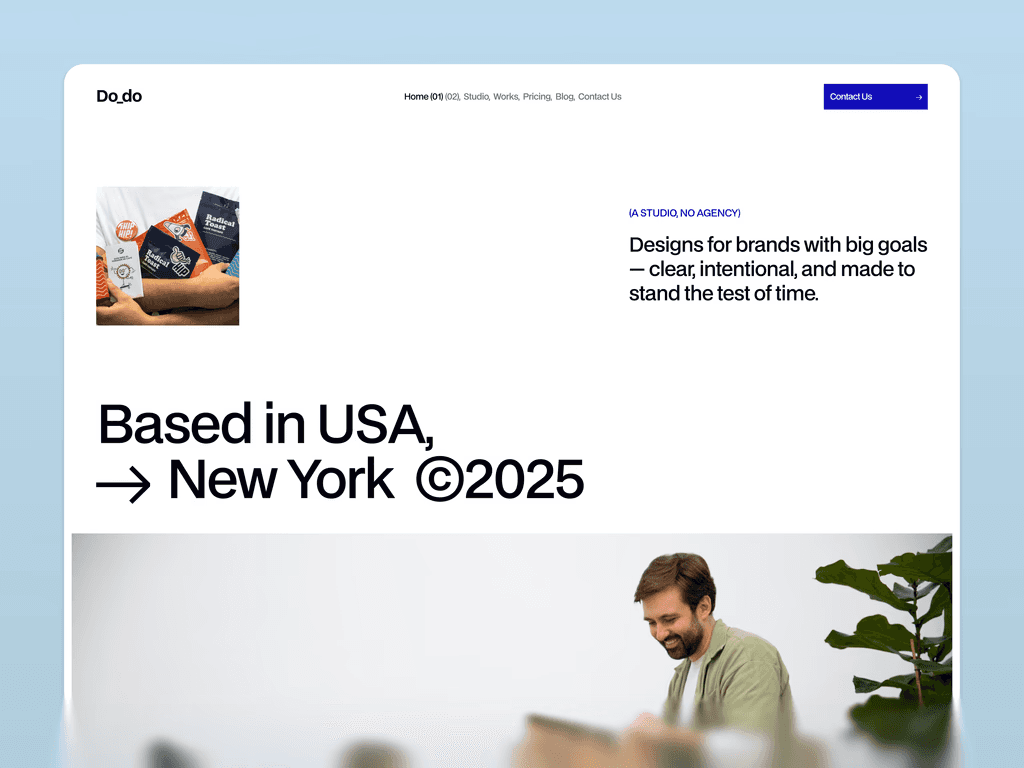
The most comprehensive CMS implementation in the Pentaclay Webflow creative studio collection — portfolio project collection with full case study pages, blog collection for creative perspective and thought leadership content, and studio story content management. The CMS architecture maintains the bold editorial design system throughout all collection pages, ensuring visual consistency between the commercial pages and the content pages that potential clients browse after discovering the studio through an article or project.
Inoteriorum · $79
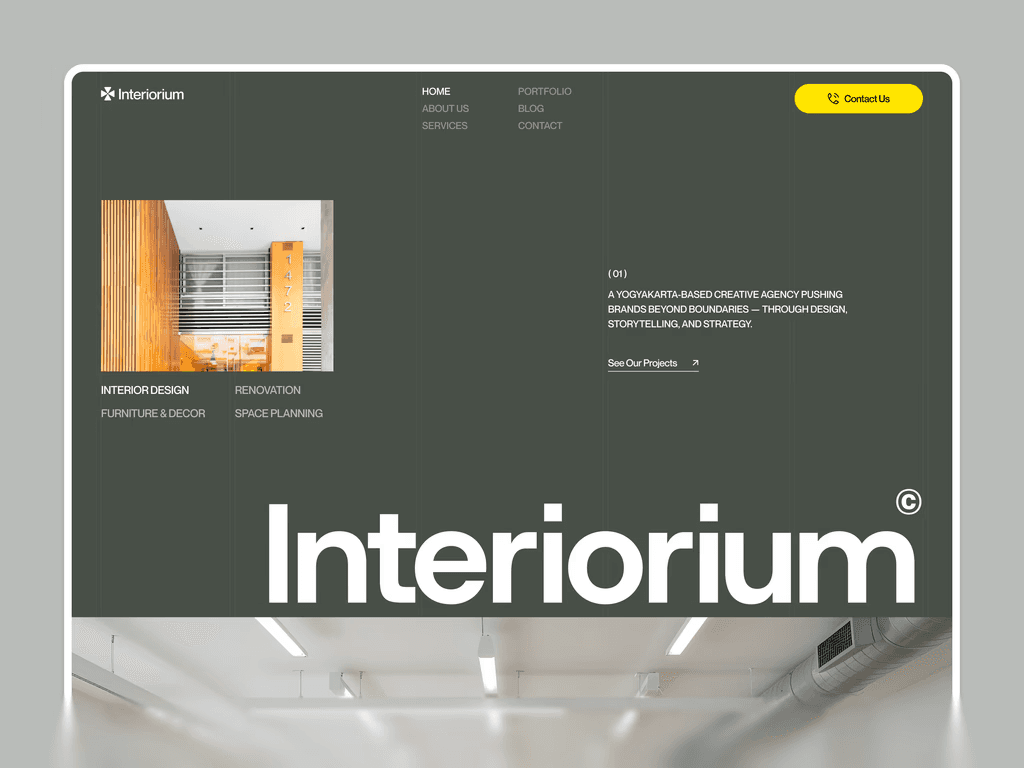
CMS implementation designed for interior design and architecture portfolio workflows — portfolio project collection with photography-first fields including project type, location, client attribution, and scope description, blog collection supporting large-format featured imagery, and studio credentials content management. Collection page architecture presents spatial design work at the scale and in the visual environment the work requires.
Arvynix · $79
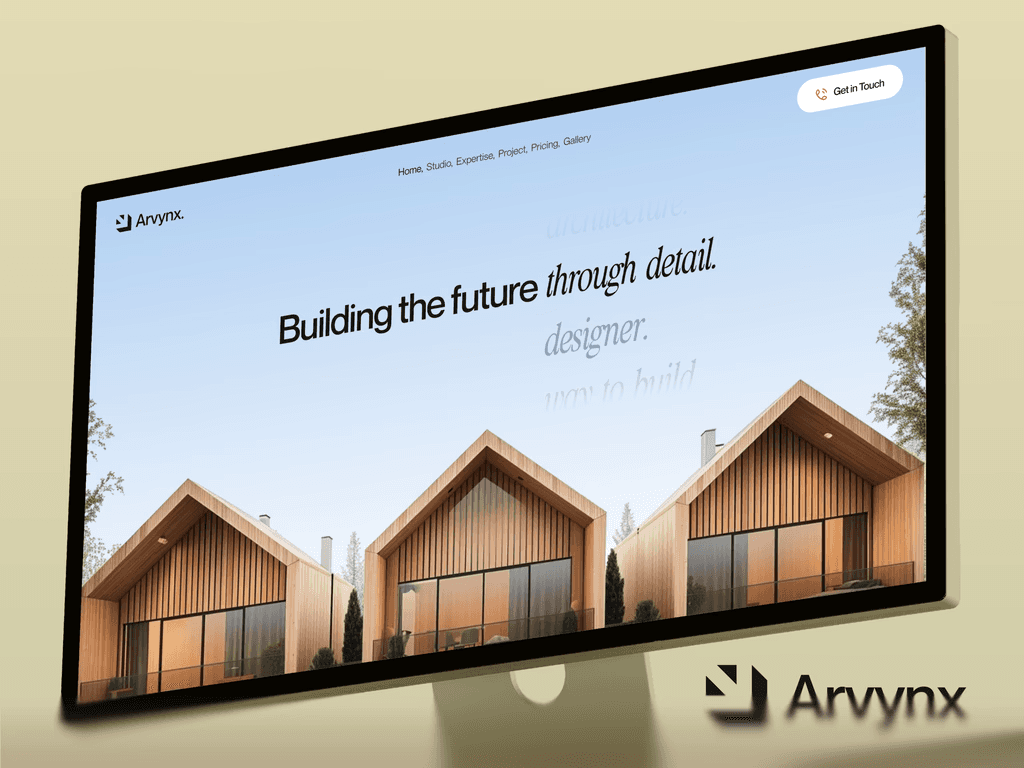
Results-led CMS implementation for performance marketing agencies — blog collection for content marketing, case study collection with business outcome framing and metrics fields, and client testimonials collection with business type attribution. The case study collection fields include campaign channel, objective, and outcome metrics — designed around how performance marketing agencies document and present client results rather than generic project fields.
Opalhaus · $79
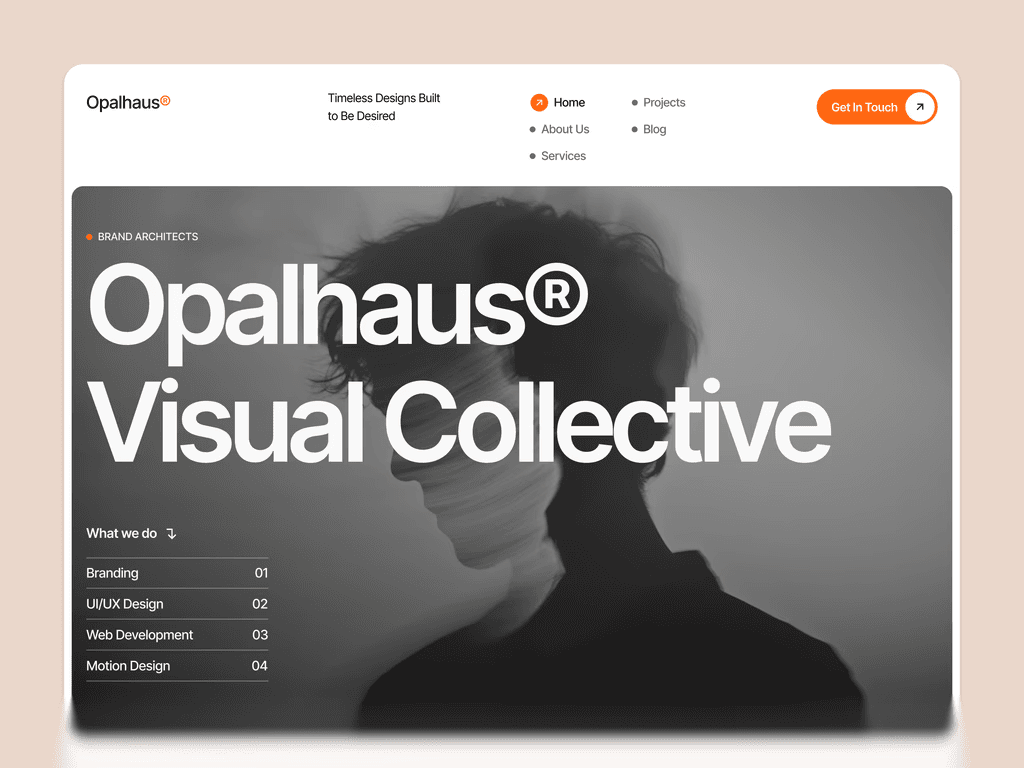
Professional CMS implementation for B2B service agencies and consulting firms — blog collection for authoritative thought leadership content, case study collection with challenge-solution-outcome structure, client testimonials collection with organizational context, and services collection for dynamic service page generation. CMS architecture optimized for the long-form strategic content that B2B agency clients evaluate when assessing agency expertise.
Codot · $79

Technical CMS implementation for technology and development agencies — blog collection with code and technical content support, project showcase collection with technology stack attribution, and client testimonials collection with technical credibility context. CMS architecture for developer-adjacent content strategies targeting technical buyers.
Optimo · $79

Growth agency CMS implementation — blog collection for content marketing authority, results showcase collection with metrics and campaign attribution fields, case study collection with growth outcome framing. CMS architecture built for data-driven agencies whose content strategy communicates measurable business outcomes rather than creative quality.
Recroot · $79

Dual-audience CMS implementation for recruitment agencies — job listings collection enabling live job board functionality with position type, location, salary range, and application link fields, blog and insights collection for recruitment industry thought leadership, and success story collection for placement evidence. The job listings collection is the most operationally critical CMS implementation in the agency collection — enabling the recruitment agency to maintain a live job board through the CMS editor without Designer access for every new listing.
Storypixel · $79

Image-first CMS implementation for photography and visual agencies — portfolio gallery collection with photography-specific fields for shoot category, client attribution, and location, blog collection with large-format featured image support, and client project collection. CMS architecture built specifically for visual content workflows where image management and category organization are more critical than text field depth.
Mithcy · $79

Clean CMS implementation for boutique studios and freelance practitioners — portfolio collection with project type and outcome fields, blog collection for thought leadership, and testimonials collection. CMS architecture optimized for fast setup and straightforward content management rather than complex multi-collection relationships.
Studio Velvoe · $79
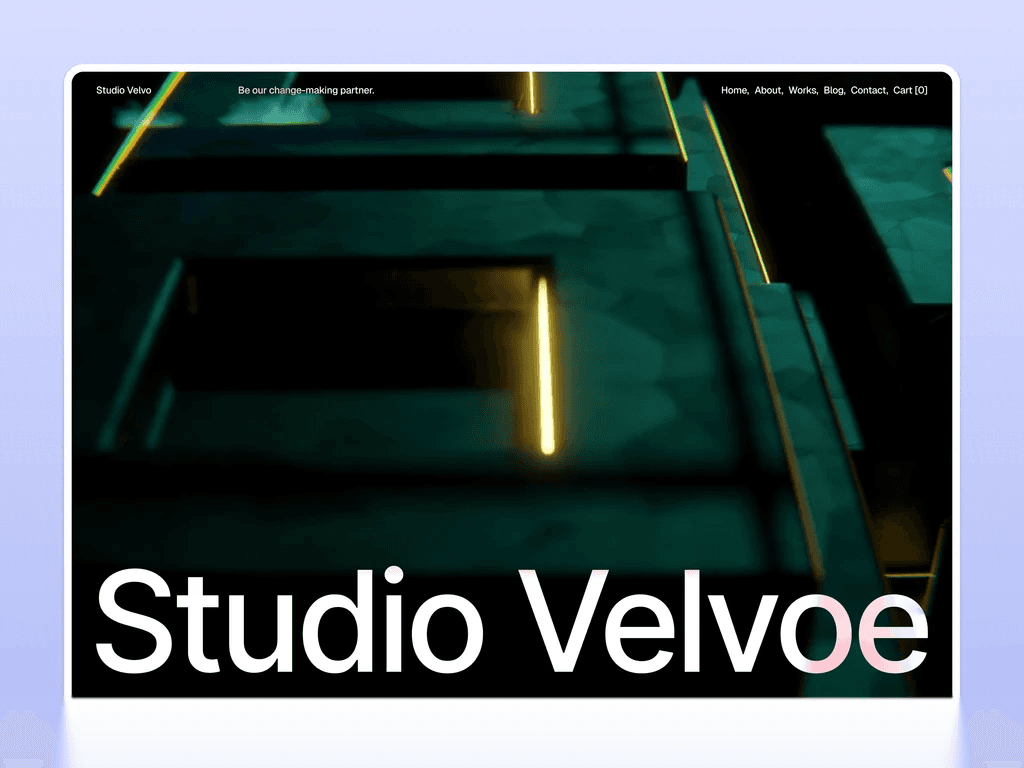
Curated CMS implementation for luxury creative studios — selective portfolio collection with large-format project showcase and client attribution, editorial content management for studio philosophy and perspective pieces. CMS architecture reflects the selective, quality-over-quantity content philosophy of luxury creative studios — fewer, more considered collection items rather than high-volume publishing.
Justine Mahoney · $79

Comprehensive photography studio CMS implementation — multi-gallery collection with session category and client attribution, client story pages with narrative structure, testimonials collection with session type and outcome attribution, and blog collection for photography education and studio updates. The most complete photography-specific CMS implementation in the Webflow agency collection — enabling a photography studio to manage multiple gallery types, client stories, and ongoing content publishing through the CMS editor without Designer access.
👉 See all Webflow agency templates · Best Webflow agency templates
Webflow SaaS Templates With CMS
SaaS websites with CMS infrastructure enable content marketing for organic acquisition, product changelog publishing for user communication, and case study publishing for sales enablement — the three highest-ROI content types for SaaS growth.
Zenquity · $79
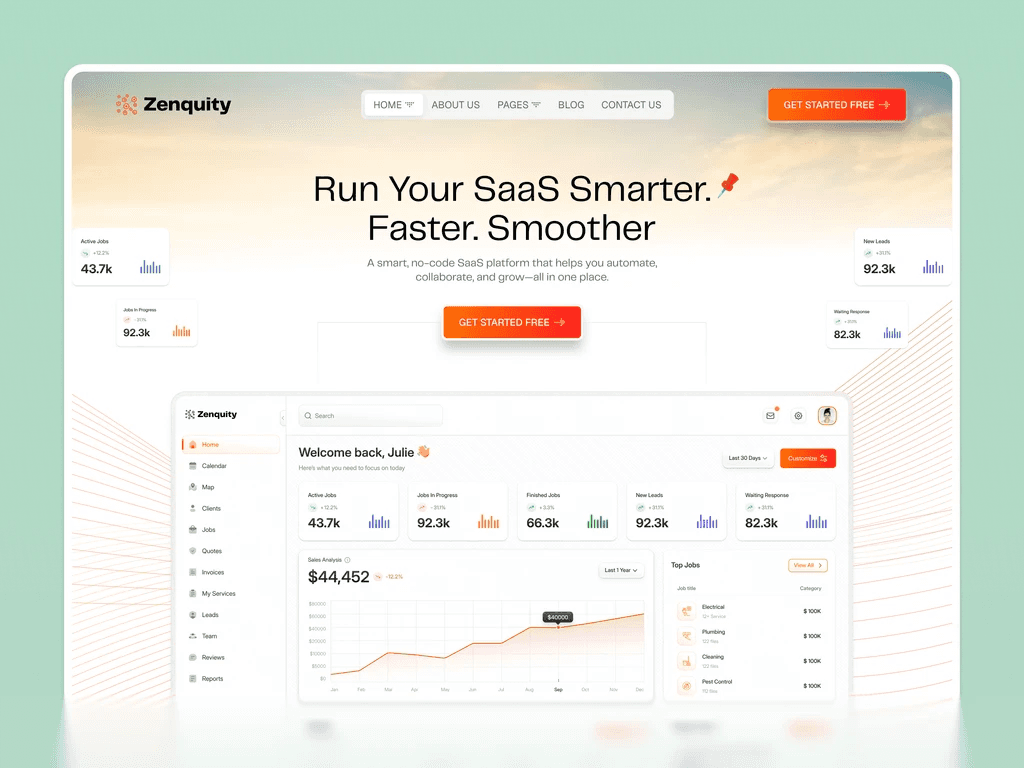
Enterprise B2B SaaS CMS implementation — blog collection for thought leadership content, customer case study collection with challenge, solution, and results structure, integration documentation collection, and changelog collection for communicating product updates. CMS architecture built for the content types that drive enterprise SaaS evaluation and sales cycles, with case study fields designed around the specific evidence that B2B software buyers evaluate when making organizational purchase decisions.
Gilberto · $79

AI and productivity SaaS CMS implementation — blog collection maintaining the dark design system throughout collection pages for visual consistency, product update and changelog collection, integration showcase collection, and customer testimonials collection. CMS architecture where design system consistency between the main product pages and the blog collection pages is a deliberate conversion signal — communicating that the team's attention to quality extends throughout the product experience, not just on the commercial pages.
Chatpilot · $79

Conversational AI SaaS CMS implementation — technical blog collection with code and integration documentation support, release notes and changelog collection, use case and integration guide collection. The most comprehensive technical content CMS implementation in the SaaS collection — built for the developer and technical product lead audience that evaluates conversational AI products through technical content quality.
ClayAI · $79

AI SaaS platform CMS implementation — blog collection for product education content and SEO authority building in competitive AI categories, case study collection with AI-specific outcome metrics, and changelog collection for product update communication. CMS architecture structured for the long-form educational content that converts non-technical AI SaaS buyers through organic search discovery.
Saatify · $59

B2B SaaS CMS implementation at the most accessible price in the Webflow collection — blog collection for content marketing, product update collection, and customer testimonials collection. Professional CMS architecture at $59 making content-led growth accessible from the earliest stage of any B2B SaaS product without requiring a premium template investment before revenue justifies it.
👉 See all Webflow SaaS templates · Best Webflow SaaS templates
Webflow Portfolio Templates With CMS
Portfolio websites with CMS infrastructure enable ongoing project additions without Designer access, blog and thought leadership publishing alongside portfolio work, and testimonials collection for social proof — all compounding in authority and inquiry conversion over time as the portfolio library grows.
Do Do Studio · $79
Full creative studio portfolio CMS — portfolio project collection with case study page architecture, blog collection for creative perspective content, and client testimonials collection. The CMS architecture ensures that every new portfolio project added through the CMS editor automatically gets its own case study page with the template's editorial design system applied consistently.
Vayro · $79

Multidisciplinary portfolio CMS — flexible project collection supporting multiple creative output types with category filtering by discipline, client type, or project format, blog collection for thought leadership content. The multi-reference category field system in Vayro's collection architecture enables filtered portfolio views by creative discipline — the most valuable CMS feature for multidisciplinary practitioners whose portfolio spans multiple creative categories.
Zenvon · $79
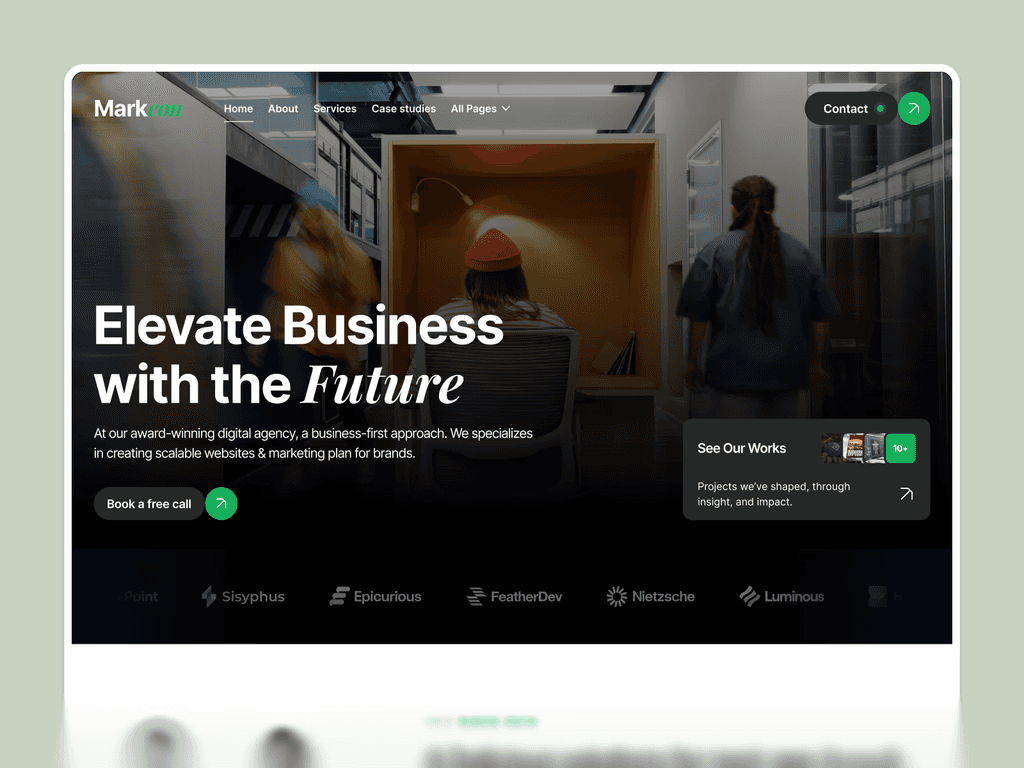
Minimalist portfolio CMS — clean project collection with typography-forward presentation fields, writing collection for editorial and design perspective content. CMS architecture where the simplicity and deliberateness of the collection schema reflects the practitioner's minimal aesthetic philosophy — fewer fields, more considered content entries.
Kairi Studio · $79
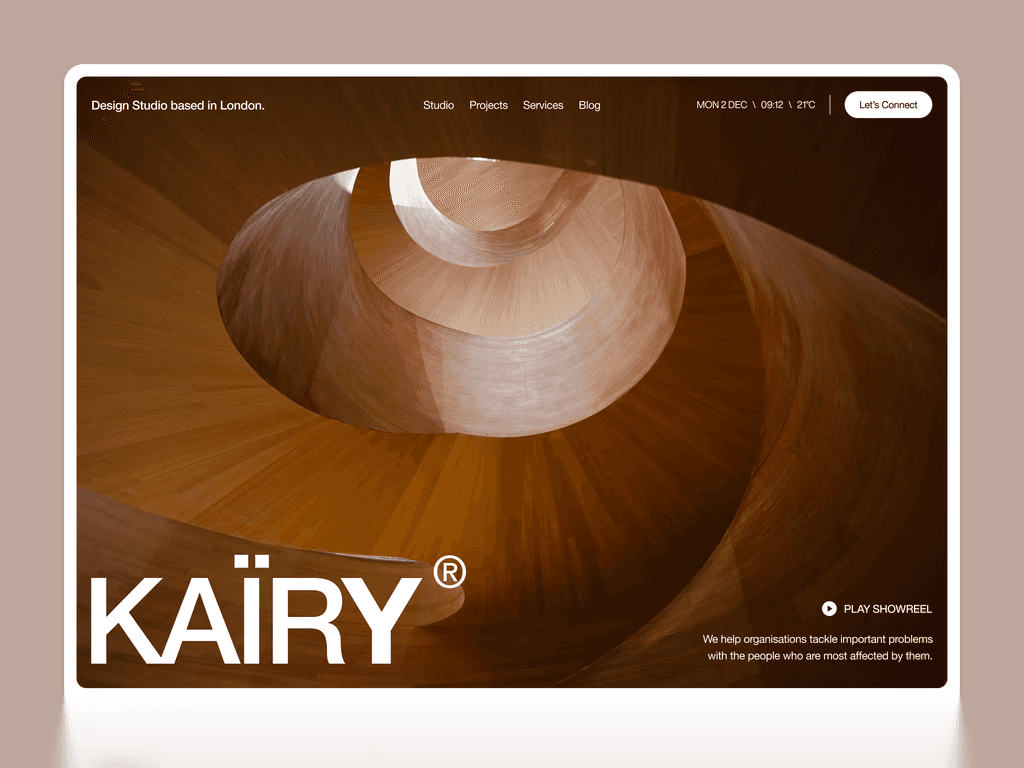
Visual artist portfolio CMS — image collection with artwork type, series, and medium fields supporting gallery-first portfolio presentation, blog collection for creative process documentation. The artwork collection fields are designed around how visual artists organize their work — by series, medium, and exhibition context — rather than the generic project fields that apply to design and development portfolios.
Storypixel · $79
Visual agency portfolio CMS — multi-format project collection supporting photography, video, and mixed-media entries with category organization by project type and client industry, blog collection with visual content support. CMS architecture for visual agencies managing diverse project portfolios across multiple formats within the same collection structure.
Mitchy · $79
Boutique studio portfolio CMS — project collection with straightforward project type and outcome fields, blog or writing collection for thought leadership. CMS architecture optimized for fast setup and simple ongoing management rather than complex relational content — right for practitioners who want professional CMS functionality without the overhead of a deeply configured collection system.
Justine Mahoney · $79
Photography studio portfolio CMS — multi-gallery collection with session type and client attribution, client story collection with narrative page structure, testimonials collection, and blog collection. The most comprehensive photography-specific portfolio CMS in the Webflow collection — enabling a photography studio to manage multiple gallery types, individual client stories, and ongoing content through the CMS editor without requiring Designer access for any content operation.
👉 See all Webflow portfolio templates · Best Webflow portfolio templates
How to Choose the Right Webflow CMS Template
The right CMS template is the one whose pre-configured collection architecture matches your specific content strategy — not the one with the most CMS features listed in the description.
Step 1 — Identify your primary CMS use case. Is CMS primarily for blog publishing, portfolio management, product changelog, customer case studies, job listings, or a combination? Your primary use case determines which collection types need to be most comprehensively implemented in the template you choose.
Step 2 — Match the template to your business category. Agency, SaaS, and portfolio templates have fundamentally different CMS architectures because their content strategies are fundamentally different. An agency template's CMS is built around portfolio projects and case studies. A SaaS template's CMS is built around blog posts and product updates. Choosing a SaaS template for an agency website means working against the CMS architecture rather than with it.
Step 3 — Evaluate multi-reference field implementation. Templates that implement multi-reference fields for category filtering — connecting blog posts to category collection items, or portfolio projects to project type items — are significantly more valuable for long-term content strategy than templates with flat, uncategorized collections. Ask whether the template's blog supports category-filtered archive views before purchasing.
Step 4 — Check design system consistency across collection pages. The strongest Webflow CMS templates maintain the same visual design system on collection pages — individual blog post pages, individual portfolio project pages — as on the main commercial pages. Templates that switch to a generic reading layout for collection pages create a visual disconnect that undermines brand consistency.
Step 5 — Confirm Webflow CMS plan requirement. All CMS-enabled templates require Webflow's CMS hosting plan at $23/month to publish dynamic content. The template purchase is a one-time cost — the CMS plan is an ongoing hosting cost separate from the template.
Also Explore — Other Webflow Feature Collections
CMS infrastructure is the foundation that powers every other feature capability in the Pentaclay Webflow library. Browse the specialized feature pages for each website capability type:
Webflow Templates with Blog — CMS-powered blog collections with individual post pages and category filtering
Webflow Templates with Portfolio — CMS-powered portfolio project collections with case study architecture
Webflow Templates with Animations — scroll effects, hover states, and page transitions
Webflow Templates with Dark Mode — dark-first design systems for tech and AI products
Webflow Templates with Pricing Table — plan comparison, billing toggle, and tier highlighting
Webflow Templates with Integrations — tech stack and app ecosystem showcase sections
Webflow Templates with Newsletter — email capture at multiple high-conversion page positions
Webflow Templates with Membership — subscription tiers and recurring revenue architecture
Webflow Templates with Ecommerce — product showcase and buying flow sections
Frequently Asked Questions
Which Webflow templates have the best CMS implementation?
The most comprehensive CMS implementations in the Pentaclay Webflow library are Zenquity for enterprise B2B SaaS with blog, case study, integration, and changelog collections, Recroot with the only live job listings CMS collection in the agency template collection, Justine Mahoney with the most comprehensive photography-specific multi-gallery and client story CMS, and Do Do Studio with the most complete creative studio portfolio and blog CMS combination.
What collection types does Webflow CMS support in these templates?
Pentaclay Webflow templates include pre-configured collections for blog posts, portfolio projects, case studies, team members, client testimonials, product changelog entries, job listings, integration partners, gallery entries, and client story pages — depending on the template category and use case. The collection types are pre-configured specifically for each template's use case rather than as generic content types applied uniformly.
How does Webflow CMS compare to Framer CMS?
Webflow CMS is more mature — with more collection types, multi-reference field support for relational content, more sophisticated filtering options, and stronger SEO field management per collection item. Framer CMS is simpler to get started with and better integrated with Framer's animation capabilities. For content-heavy sites with multiple interconnected collection types, Webflow CMS is typically the stronger choice. For design-forward sites where animation quality and designer workflow are primary concerns, Framer CMS is often preferable. See Framer vs Webflow for the complete comparison and Framer Templates with CMS for the Framer CMS hub.
Do I need coding skills to manage content in Webflow CMS?
No. Webflow CMS content is managed through the CMS editor — a form-based interface in the Webflow dashboard where you fill in collection fields for each content item without opening the visual Designer or writing any code. Publishing a new blog post, adding a portfolio project, or updating a team member entry are all CMS editor operations accessible to any team member without design or development skills.
How many collection items can Webflow CMS handle?
Webflow's CMS plan supports up to 10,000 collection items across a maximum of 20 collection types per site — sufficient for any content library most businesses will build in the first several years of consistent publishing. There is no meaningful performance degradation at typical content volumes within these limits.
Can I add category filtering to my Webflow CMS blog?
Yes — templates that implement multi-reference fields connect blog posts to category collection items, enabling category-filtered archive pages. This is a structural implementation decision in the template rather than a Webflow CMS limitation — all Pentaclay blog-enabled templates include category organization where relevant to the use case.
What is the difference between a Webflow CMS template and a static Webflow template?
A static Webflow template requires a Designer session to add any new page — every new blog post, portfolio project, or team member requires manually duplicating a page, updating its content, and republishing the entire site. A CMS-driven template generates individual pages automatically for each collection item — adding a new blog post or portfolio project is a form-fill in the CMS editor that takes minutes and does not require Designer access or a full site republish.
CMS infrastructure is not a feature — it is the foundation that determines whether your Webflow website can grow alongside your business or requires constant rebuilding to keep up with it. The Webflow templates with CMS in the Pentaclay library give you pre-configured collection architecture for every major content strategy — blog, portfolio, case study, changelog, testimonials, team, job listings, and more — so you can start publishing content from day one rather than spending your first weeks building the infrastructure to support it.
Every template in the Pentaclay Webflow library includes CMS infrastructure relevant to its use case — from Saatify at $59 with blog and testimonials collections to Justine Mahoney at $79 with multi-gallery, client story, and blog collections fully implemented. Prices range from $59 to $79 for a single-site license with lifetime updates. All include live previews before purchase.
👉 Browse all Webflow templates · Webflow templates with blog · Webflow templates with portfolio · Best Webflow SaaS templates · Best Webflow agency templates · Compare Framer vs Webflow · View All Access pricing


Access 65+ Framer Templates

Access 35+ webflow Templates

Access 70+ Figma Templates

3100+
trusted us