Best Webflow Templates
"Looking for the best Webflow templates to launch your website faster and convert more visitors? Whether you want to buy Webflow templates for a SaaS product, agency, or startup, explore premium Webflow website templates built for real business goals, or find the best Webflow templates for agencies and startups with CMS support and no-code customization — this is the complete Pentaclay Webflow library. Browse by category, compare by use case, and launch in days — from $59 to $99."



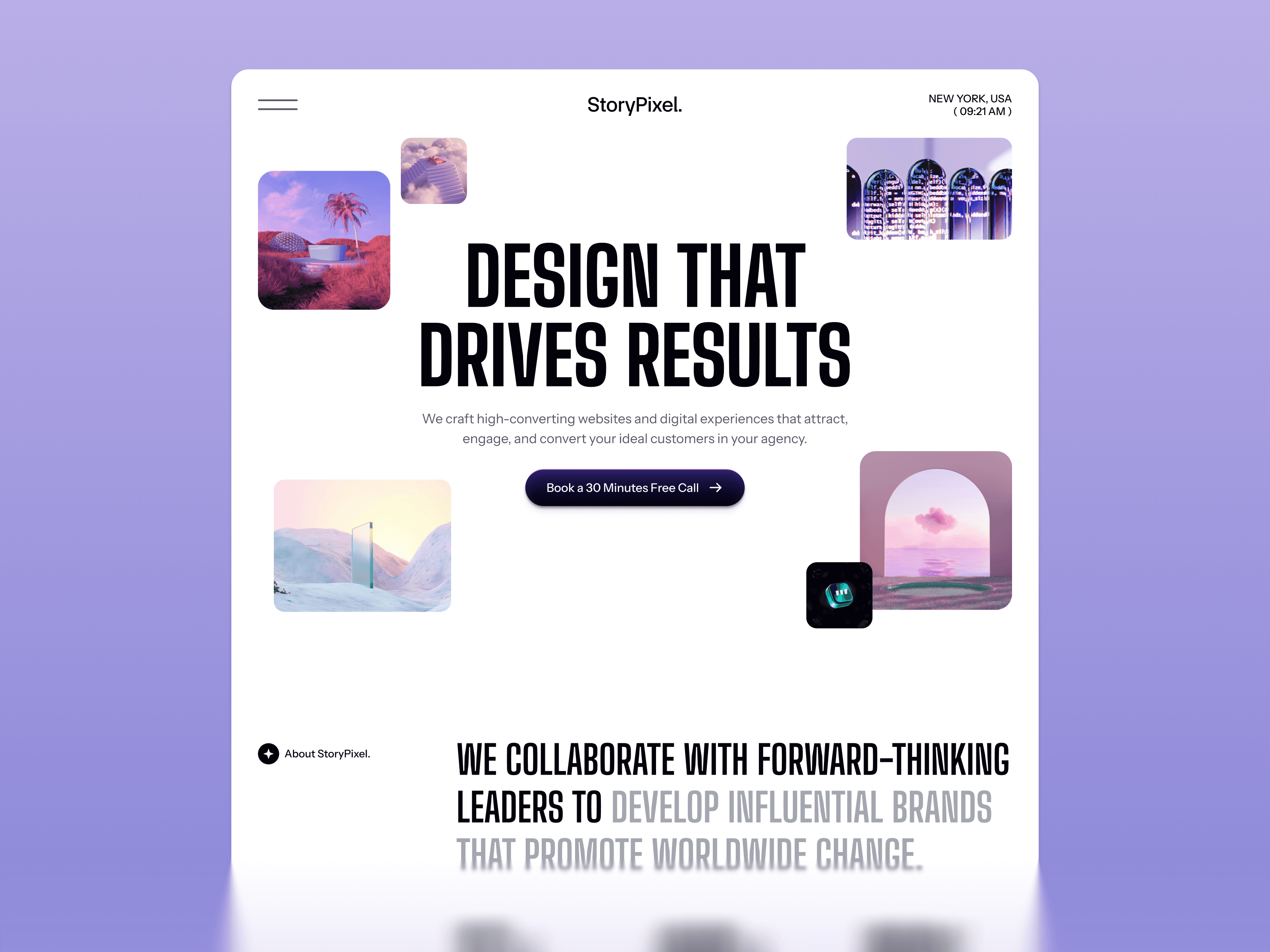
Building a website today is no longer just about having an online presence — it is about creating an experience that converts visitors into customers, subscribers, or clients. Whether you are a SaaS founder trying to explain a complex product, an agency showcasing years of client work, or a freelancer building a personal brand from scratch, your website is the first and most important sales tool you have. That is where the best Webflow templates make a real difference.
Webflow has become the preferred platform for design-forward businesses that need pixel-level control without sacrificing content management flexibility. Unlike traditional builders that limit your design freedom, and unlike fully custom development that demands months of engineering time, Webflow gives you a visual development environment that produces genuinely production-grade websites — with built-in CMS, responsive design, and SEO infrastructure that most businesses would spend thousands building from scratch.
But with so many premium Webflow website templates available across different business categories, choosing the right one can feel overwhelming. Some templates are built for SaaS products, others for agencies, and many are optimized for portfolios, AI products, or ecommerce. Each comes with its own conversion structure, design system, and ideal use case — and choosing the wrong one costs you time, credibility, and leads.
This page is designed to eliminate that confusion entirely. By the end of it you will know:
Which template category fits your specific business type and buyer
What structural features actually drive conversions versus what just looks impressive
How to choose a template that scales with your product or service as it grows
Which specific templates from the Pentaclay Webflow library are the strongest match for your goals
If you plan to grow your website through content marketing over time, pay particular attention to options with Webflow CMS support and built-in blog infrastructure — these templates give you the organic growth foundation that purely design-focused templates cannot provide. The right Webflow template is not just a design decision. It is a business infrastructure decision that compounds in value every month after launch.
Why the Right Webflow Template Changes Everything
Building a website in Webflow from scratch takes weeks. Starting with the wrong template takes just as long once you realize the structure does not fit your product, your buyer, or your conversion goals. The right Webflow template collapses that timeline — giving you a professionally designed foundation built for performance, conversion, and scalability from the very first page.
Modern premium Webflow website templates are more than design assets. They include structured layouts engineered around how real buyers evaluate products, conversion-focused sections placed at the right moments in the scroll, CMS infrastructure for long-term content growth, and component systems that make brand customization fast and consistent across every page. From clean SaaS landing pages to editorial agency portfolios to ecommerce storefronts, the right template gives you a starting point that is already 80% of the way to launch — so you can spend your time on the 20% that is uniquely yours.
This page covers the complete Pentaclay Webflow template library organized by category and use case. Whether you are launching your first product, rebuilding an established agency website, or building client sites across a portfolio, this is your complete reference for finding the right template, understanding what makes it the right choice for your specific situation, and getting to a live site faster than starting from scratch would allow.
Quick Reference — Best Webflow Template by Goal
Goal
Best Templates
Why
What Makes a Great Webflow Template
A great Webflow template goes beyond aesthetics. It is built around real-world business goals, buyer psychology, and the specific conversion challenges of the product or service category it serves. Here are the five qualities that separate the best Webflow templates from visually impressive ones that do not perform.
Conversion-first page architecture. Every section should have a defined purpose tied to a specific stage of the buyer's decision-making process. Hero sections that prioritize visual decoration over value proposition clarity are common in low-quality templates and consistently underperform. Strong templates lead with the outcome, support it with proof, and present the CTA at every natural decision point in the scroll.
Product storytelling structure. Whether you are selling SaaS software, creative services, or a physical product, your website needs to guide visitors from the problem they recognize to the solution you offer to the specific outcome they can expect. Templates with structured storytelling sections — problem, solution, proof, CTA — consistently outperform templates that present features without narrative context.
CMS infrastructure for long-term growth. Content marketing is the most cost-effective long-term acquisition channel for most businesses. Templates with pre-configured Webflow CMS collections for blog posts, case studies, portfolio projects, and product updates give you the infrastructure to build organic authority from day one without rebuilding your site structure later.
Responsive design and performance. Your audience accesses your site from multiple devices. Templates built with clean Webflow code and performance-optimized design deliver consistent experiences across mobile, tablet, and desktop while supporting strong Core Web Vitals scores — which protects both user experience and search rankings simultaneously.
Customization flexibility without structural compromise. The best templates provide a solid structural foundation while allowing meaningful brand customization. Webflow's component system means color, typography, and logo changes propagate across all pages when the template is built correctly — making brand-level customization fast without introducing visual inconsistencies.
Webflow Agency Templates
Agency websites serve one primary goal: converting a qualified visitor into a client inquiry. Every design decision, every section, every CTA placement should serve that goal. The best Webflow agency templates are built around that specific conversion challenge — not just around looking impressive in a screenshot.
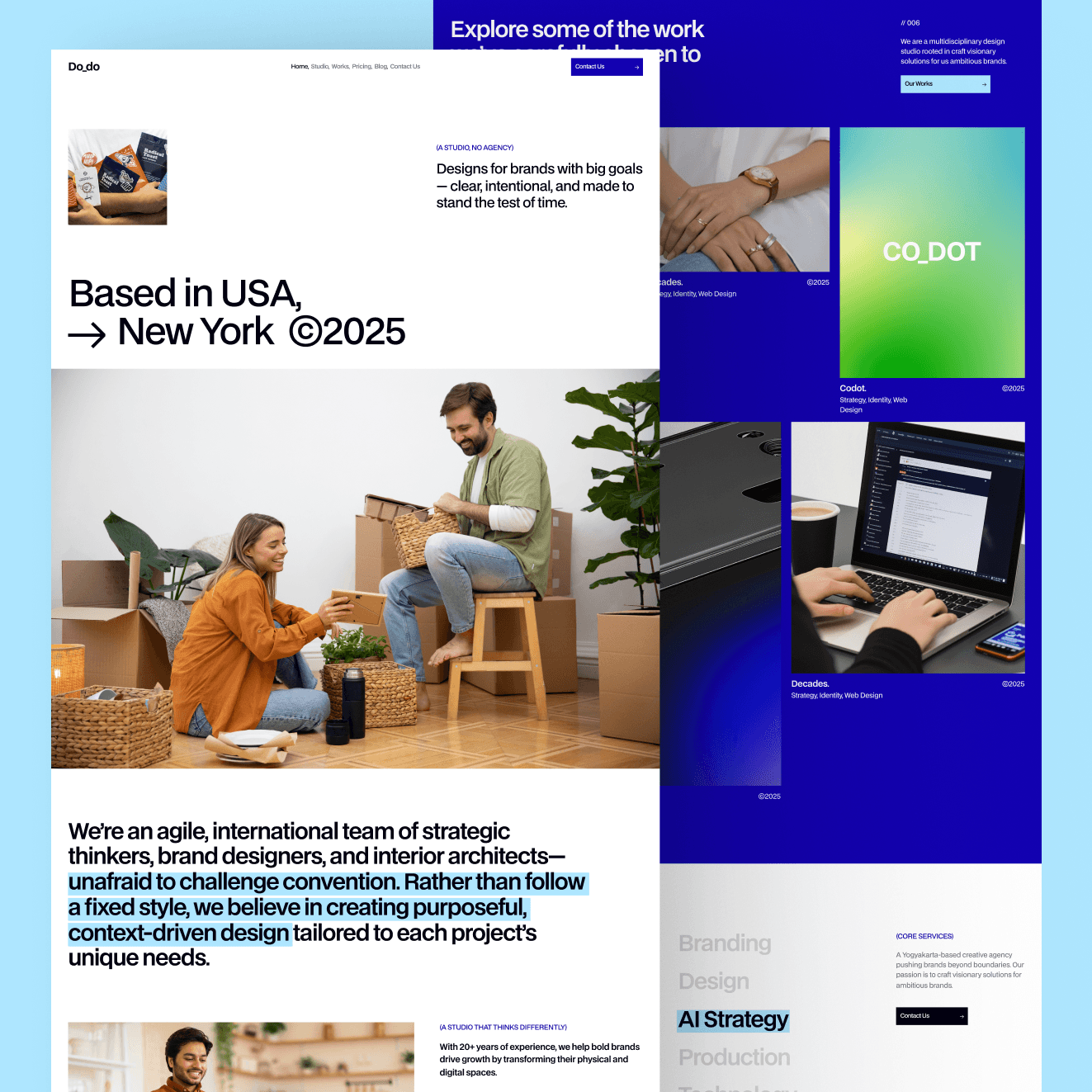
Do Do Studio is the most design-expressive agency template in the Pentaclay Webflow library — built for creative studios, boutique design agencies, and design-forward service businesses where the aesthetic quality of the website itself is the first and most powerful proof point of the agency's creative capability. The bold typographic identity, portfolio-first layout, and editorial design system communicate creative sophistication and genuine aesthetic perspective before a visitor reads a single service description or engages with a single case study.
The design system is deliberately confident and opinionated — reflecting the visual conviction that the best creative studios communicate through every client touchpoint. Portfolio sections are structured to present work at full visual impact, with minimal UI chrome getting in the way of the creative output. The studio story and philosophy sections give you the structural space to communicate the specific point of view that differentiates your creative business from every other studio making similar claims about quality and craft.
Best for: Creative studios with a strong visual identity, boutique design agencies, branding and identity firms, design-forward service businesses, and any creative agency where the quality of the website's own design is the primary argument for hiring the team behind it.
What's included:
Bold editorial design system with confident typographic hierarchy
Portfolio-first layout with full visual impact showcase sections
Studio story and creative philosophy section
Service breakdown with visual-first presentation
Client testimonials and project attribution
Contact and project inquiry flow
Webflow CMS for portfolio projects and studio blog
Why it stands out: Do Do Studio is the right template when your agency's design identity is your most powerful competitive advantage — where the experience of visiting the website is itself the argument for hiring you. For creative studios, a generic agency template is a credibility signal in the wrong direction. Do Do Studio communicates from the first impression that you have a genuine creative perspective and the execution quality to back it up.
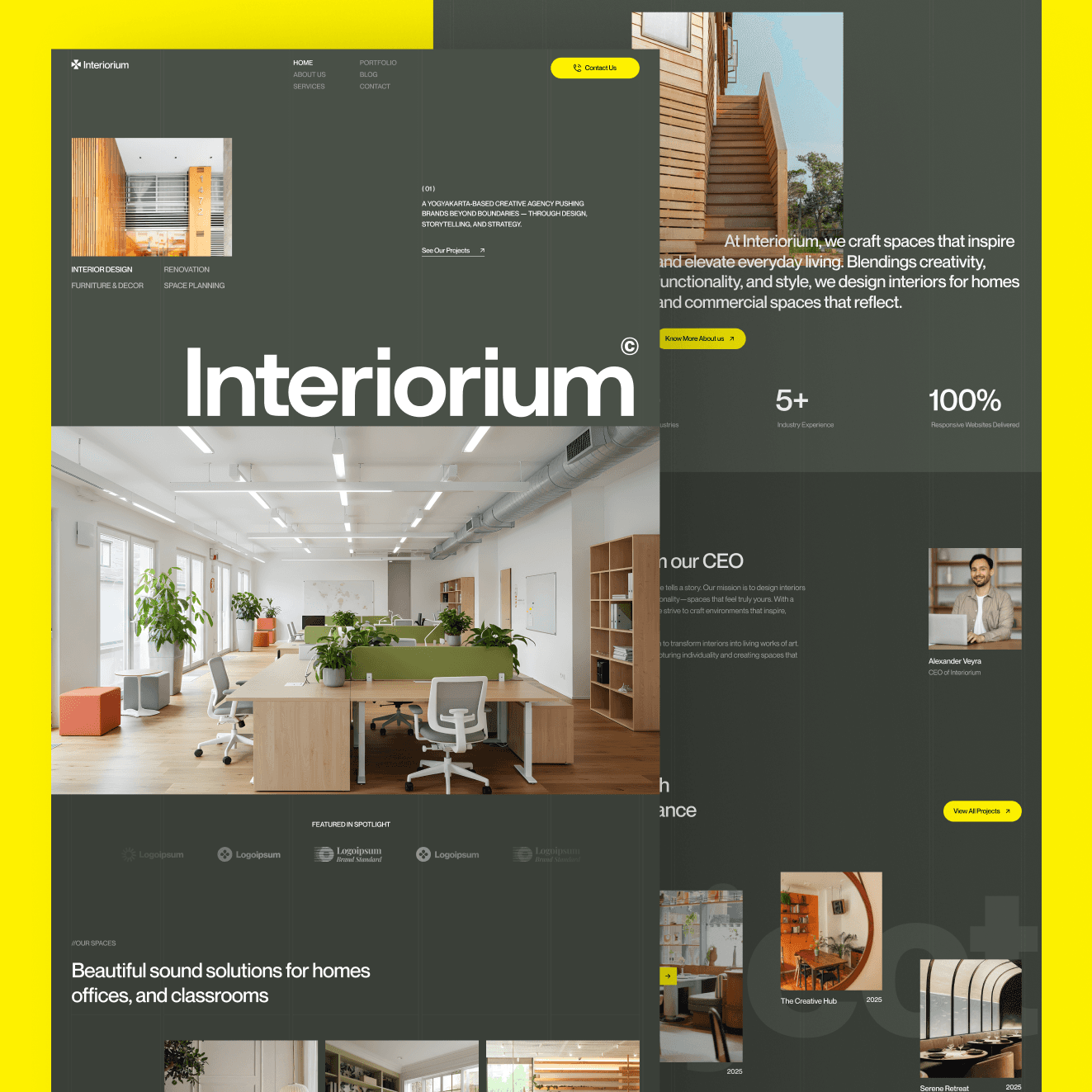
Inoteriorum is purpose-built for interior design agencies, architecture studios, and spatial design consultancies where the portfolio needs to be presented at the scale and in the visual environment that does justice to the quality of physical space work. Interior design and architecture clients make their initial evaluation of a studio almost entirely on visual evidence — the photography needs room to breathe, the project narrative needs space to unfold, and the overall presentation environment needs to feel as considered and refined as the spaces the studio designs.
The warm, refined design system and full-width photography sections create a presentation environment that makes interior design and architecture photography feel exceptional rather than merely functional. The project showcase, studio credentials, and design philosophy sections are all structured to support a premium client acquisition process where trust is built through aesthetic alignment before a first consultation is ever scheduled.
Best for: Interior design agencies, architecture studios, spatial design consultancies, luxury residential and commercial design firms, landscape architecture practices, and any design-adjacent studio whose portfolio is primarily spatial and whose clients evaluate work quality through visual and atmospheric impression.
What's included:
Warm, refined design system with full-width photography sections
Portfolio and project showcase with editorial project layout
Studio credentials and design philosophy section
Services section structured for interior design and architecture offerings
Client testimonials with project attribution and outcome context
Project inquiry and consultation booking section
Webflow CMS for portfolio projects, studio blog, and client work
Why it stands out: Interior design and architecture agencies lose clients because their websites look generic when their actual work is exceptional. Inoteriorum solves that mismatch — it is designed specifically to make portfolio-driven spatial work the center of the page, presented at the scale and in the visual environment that does justice to the quality of the work. For any spatial design studio, it is the most purpose-appropriate template in the Pentaclay Webflow library.
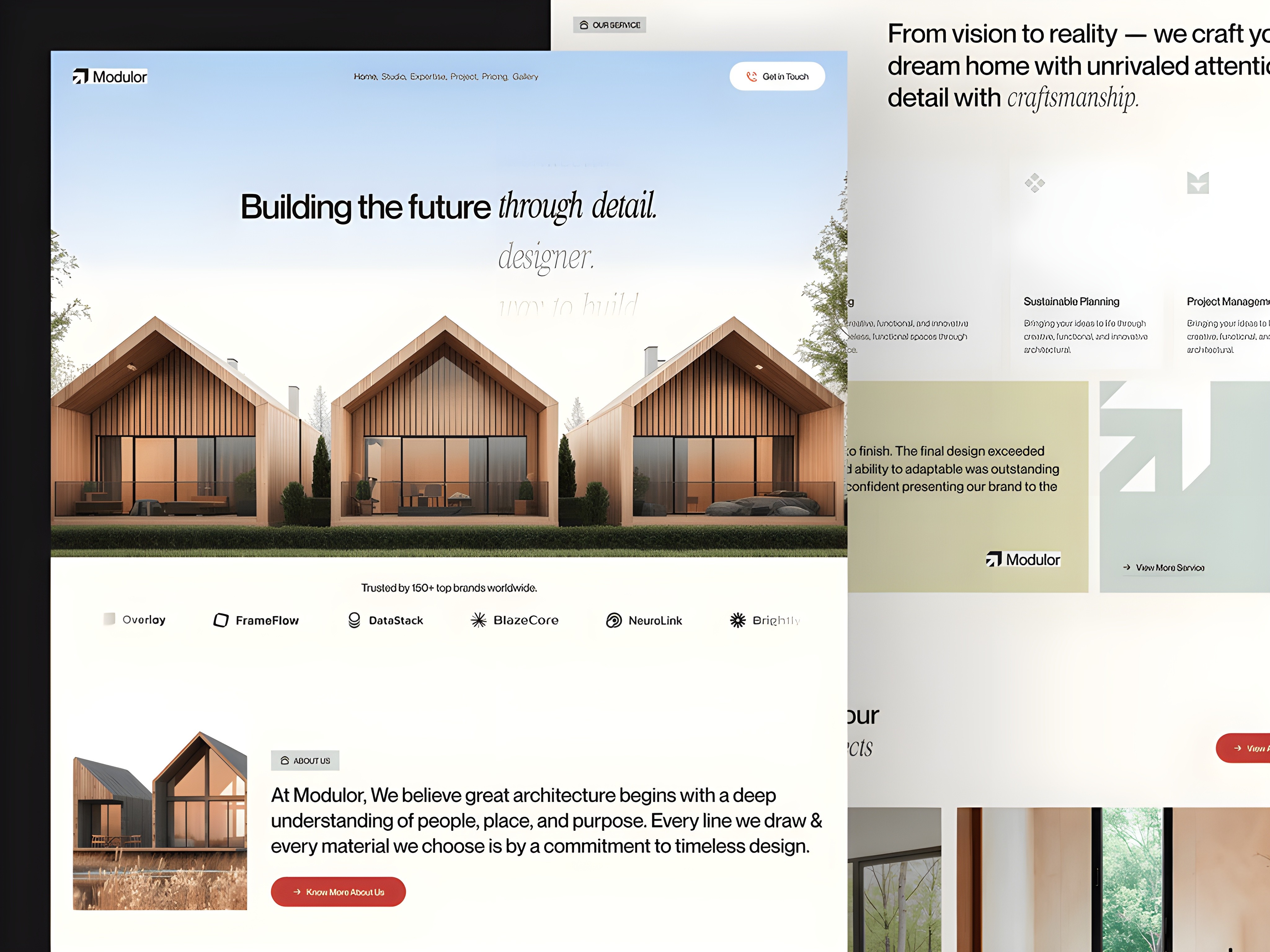
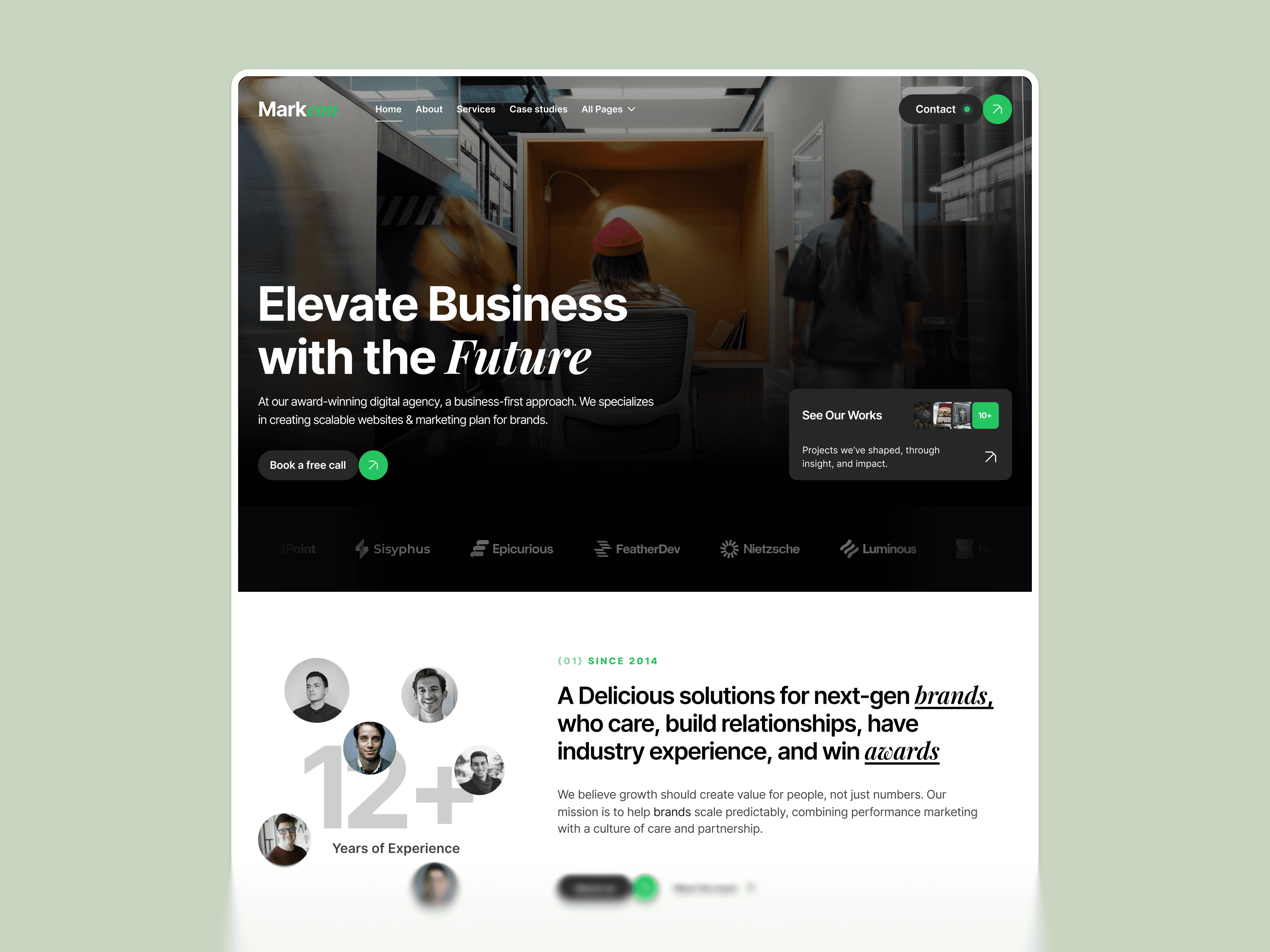
Arvynix is built for full-service marketing agencies, digital studios, and professional service businesses that need to communicate broad capability with clear positioning and a strong client acquisition flow. The structured service breakdown, client social proof sections, and conversion-focused CTA placement are all engineered for business buyers who evaluate agencies on clarity and demonstrated results before creative quality — the specific conversion challenge of a marketing agency whose clients are buying outcomes, not aesthetics.
The design system is professional and results-oriented — reflecting the accountability and performance focus that marketing agency clients apply when evaluating a new partner relationship. Case study sections are structured to present client outcomes in the business impact terms that matter to marketing buyers: revenue growth, lead generation, conversion improvement, and channel performance rather than design awards or visual impressions.
Best for: Full-service marketing agencies, digital studios, growth and performance marketing firms, content and SEO agencies, social media and paid media agencies, and any service business whose primary sales argument is the measurable business outcomes they deliver for clients.
What's included:
Professional, results-oriented design system for marketing agency positioning
Service breakdown with clear capability and channel descriptions
Client case studies with business outcome framing
Social proof and client logo showcase
Team credentials and expertise section
Lead capture and discovery call booking flow
Webflow CMS for case studies, blog, and service pages
Why it stands out: Arvynix is built for the agency that sells with results rather than aesthetics — where the client relationship starts with a performance conversation rather than a design presentation. The outcome-framed case study structure and results-led service breakdown communicate the specific credibility signals that marketing agency buyers apply when evaluating which agency to trust with their budget.
Webflow AI Templates
AI products have a higher communication burden than almost any other type of software. Your visitor arrives skeptical, unfamiliar with your approach, and deciding within seconds whether your product is worth their attention. The best Webflow AI templates are purpose-built for that challenge — with problem-led hero sections, structured capability breakdowns, and trust signal placement at the exact moments where AI buyer skepticism peaks.
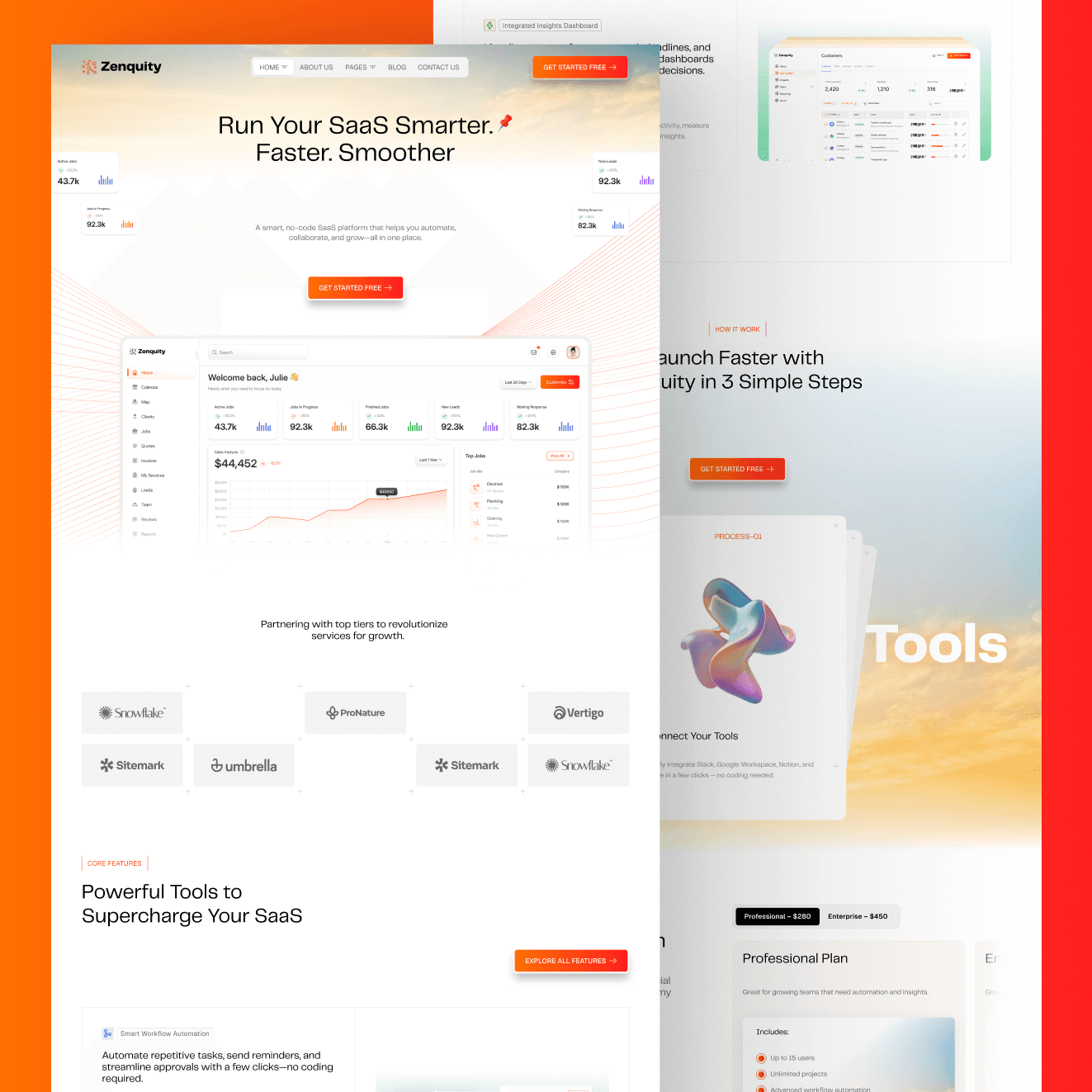
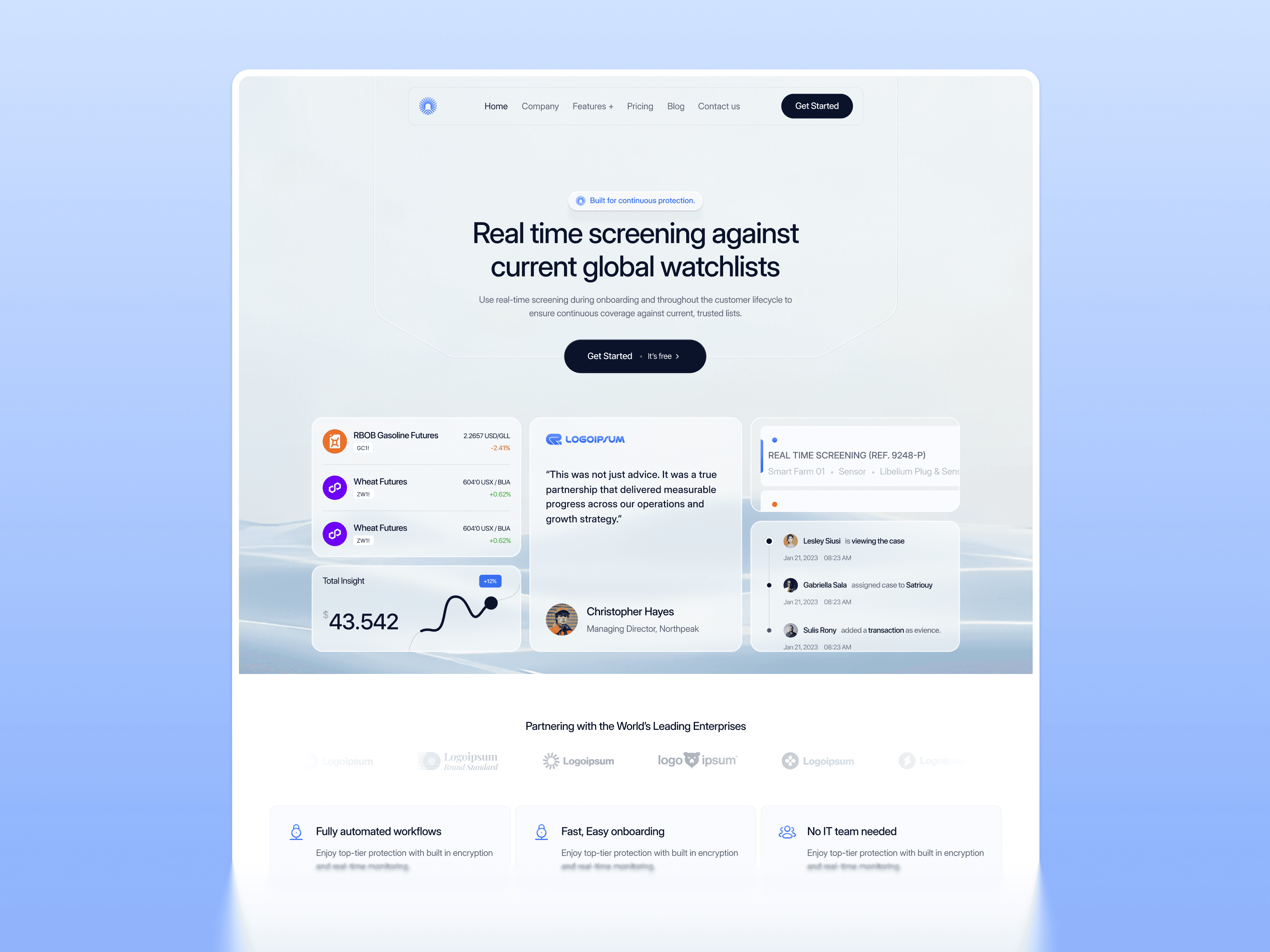
Zenquity is the most conversion-engineered AI template in the Pentaclay Webflow collection — built for complex AI SaaS platforms that need to explain a multi-feature product to a non-technical buyer without losing them in the first scroll. The product UI mockup hero, early social proof placement, and structured feature breakdown address the three questions every AI visitor asks within the first scroll: what does this do, who else uses it, and how does it work. The design system is clean and sophisticated rather than dramatically futuristic — reflecting the fact that most enterprise AI buyers are evaluating reliability and capability rather than visual novelty.
The multi-section feature breakdown is structured specifically for complex AI products with multiple capability layers that cannot be adequately communicated in a single features section. Integration showcases, pricing tables, and conversion-oriented CTA placement throughout the page work together to move a skeptical first-time visitor through the awareness-to-trial journey without requiring a sales call to close the gap.
Best for: AI SaaS platforms, multi-feature productivity tools, enterprise AI products, AI-powered analytics tools, and any SaaS founder who needs to explain a genuinely complex product to a buyer who may not be a technical expert and is making a purchase decision primarily based on perceived value and social proof.
What's included:
Clean, sophisticated design system built for enterprise AI buyer credibility
Product UI mockup hero with early social proof placement
Multi-section feature breakdown for complex capability presentation
Integration logo grid and tech stack showcase
Pricing table with plan comparison and recommended plan highlight
Testimonials section with named client attribution
Webflow CMS for blog, case studies, and product changelog
Why it stands out: Zenquity is the strongest cold-visitor conversion template in the Webflow AI collection. The combination of product UI in the hero, early social proof placement, and structured multi-section feature breakdown addresses every question a new AI visitor asks before they are willing to start a trial. For any AI SaaS founder who needs to explain a complex product to a buyer encountering it for the first time, Zenquity is the most complete and conversion-engineered starting point in the Pentaclay Webflow library.
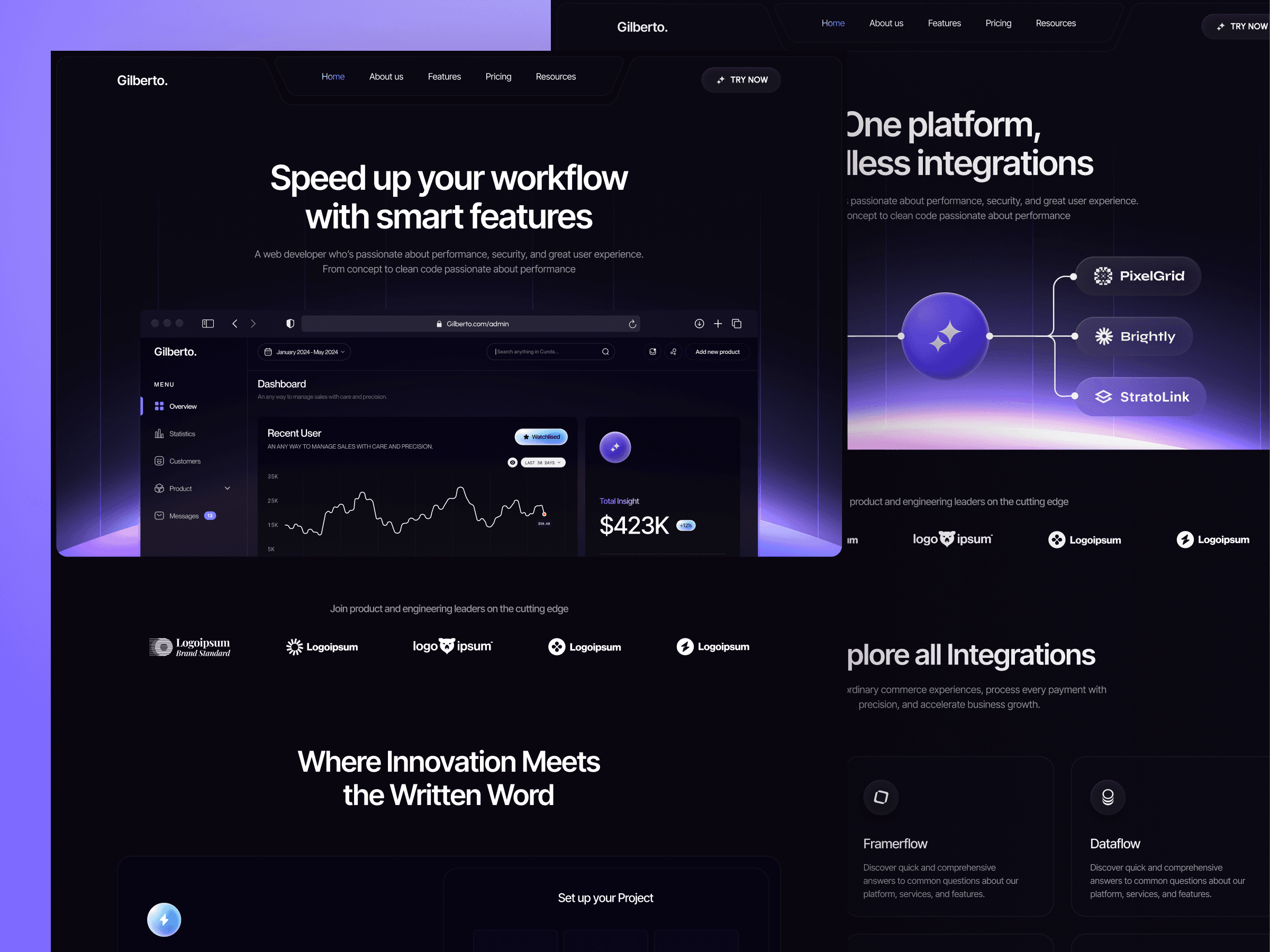
Gilberto is the most design-forward AI template in the Webflow collection — a sophisticated dark layout built for AI writing tools, content platforms, and productivity software where visual sophistication is itself a trust signal. The multi-panel product UI showcase section shows the product working across multiple contexts simultaneously, communicating feature depth to a visitor who has not yet had a demo and may never request one — making the abstract product experience concrete before a visitor has to commit to a trial.
The deep dark design system with editorial typographic hierarchy and multi-panel UI showcase gives Gilberto an enterprise-grade aesthetic that most early-stage AI startups cannot achieve from scratch. The platform stats section — user count, integration count, uptime metrics — gives you a structural framework for communicating traction at whatever scale is accurate for your product, presenting even modest early numbers in a visual context that communicates that the product is real, in use, and worth evaluating.
Best for: AI writing and content tools, AI productivity platforms, workflow automation software with a strong visual brand, content intelligence platforms, developer-adjacent tools with a technical buyer, and any AI or SaaS founder who wants their website to communicate technical sophistication and product depth immediately upon landing.
What's included:
Deep dark design system with editorial typographic hierarchy
Multi-panel product UI showcase demonstrating the product across multiple contexts simultaneously
Platform capability and integration count social proof section
User stats and traction metrics display with visual emphasis
Pricing section with plan comparison and recommended plan highlight
Testimonials and credibility sections with named attribution
Webflow CMS blog support for content marketing and SEO
Why it stands out: Gilberto stands apart from most dark AI templates because it has a genuinely distinctive visual identity rather than just a dark background with neon accents. The multi-panel UI showcase section is the single most effective structural element for early-stage AI SaaS — it shows the product working across multiple contexts simultaneously, communicating feature depth to a visitor who has not yet had a demo. The right investment for any AI or productivity SaaS startup where the website's visual sophistication is itself a conversion signal.

Chatpilot is the most purpose-specific template in the Webflow AI collection — built exclusively for conversational AI products, chatbot platforms, and AI agent builders where the core product experience is a dialogue or conversation interface. The dark terminal-style design system is immediately recognizable as developer-adjacent and technical — the right visual register for a chatbot or AI agent product where the primary buyer is a technical founder, a product lead, or a developer advocate who evaluates tools primarily on capability and integration depth rather than marketing presentation.
The chat UI showcase visible in the hero and the step-by-step explanation section turn an abstract product into something a buyer can visualize using immediately — solving the hardest challenge in selling conversational AI, which is demonstrating the product experience before a visitor has to sign up or request a demo. The operational metrics section gives early-stage chatbot and AI agent products a structural framework for communicating real usage numbers in a visual context that builds trust with technical buyers.
Best for: AI chatbot startups, conversational AI platforms, AI agent builders, customer support automation tools, developer-facing AI APIs, and any SaaS team whose core product experience is a chat or dialogue interface that buyers need to understand and trust before they will integrate it into their own product or workflow.
What's included:
Dark terminal-style design system with bold accent tones
Chat interface UI showcase visible in the hero section
Operational metrics section for social proof through real usage numbers
Step-by-step product explanation section showing how the AI agent works
Feature and capability breakdown in structured visual format
Integration and API showcase section
Webflow CMS support for blog, documentation links, and product updates
Why it stands out: Chatpilot solves the hardest challenge in selling conversational AI — making an abstract product experience concrete before a visitor has to request a demo. The chat UI in the hero, the operational metrics, and the step-by-step explanation together give a first-time visitor three separate forms of product proof before they have scrolled halfway down the page. For any conversational AI or chatbot product, it is the only template in the Webflow collection built specifically around your product type and your buyer's evaluation process.
Webflow Startup Templates
Startups do not get a second chance at a first impression. Your website needs to look established before you are, communicate your value proposition clearly before your product is fully built, and convert visitors into signups or waitlist joins without requiring a polished sales deck or a developer on the team. The best Webflow startup templates are built for exactly that operating mode — combining professional design with conversion-first page architecture and messaging flexibility for a product that is still evolving.

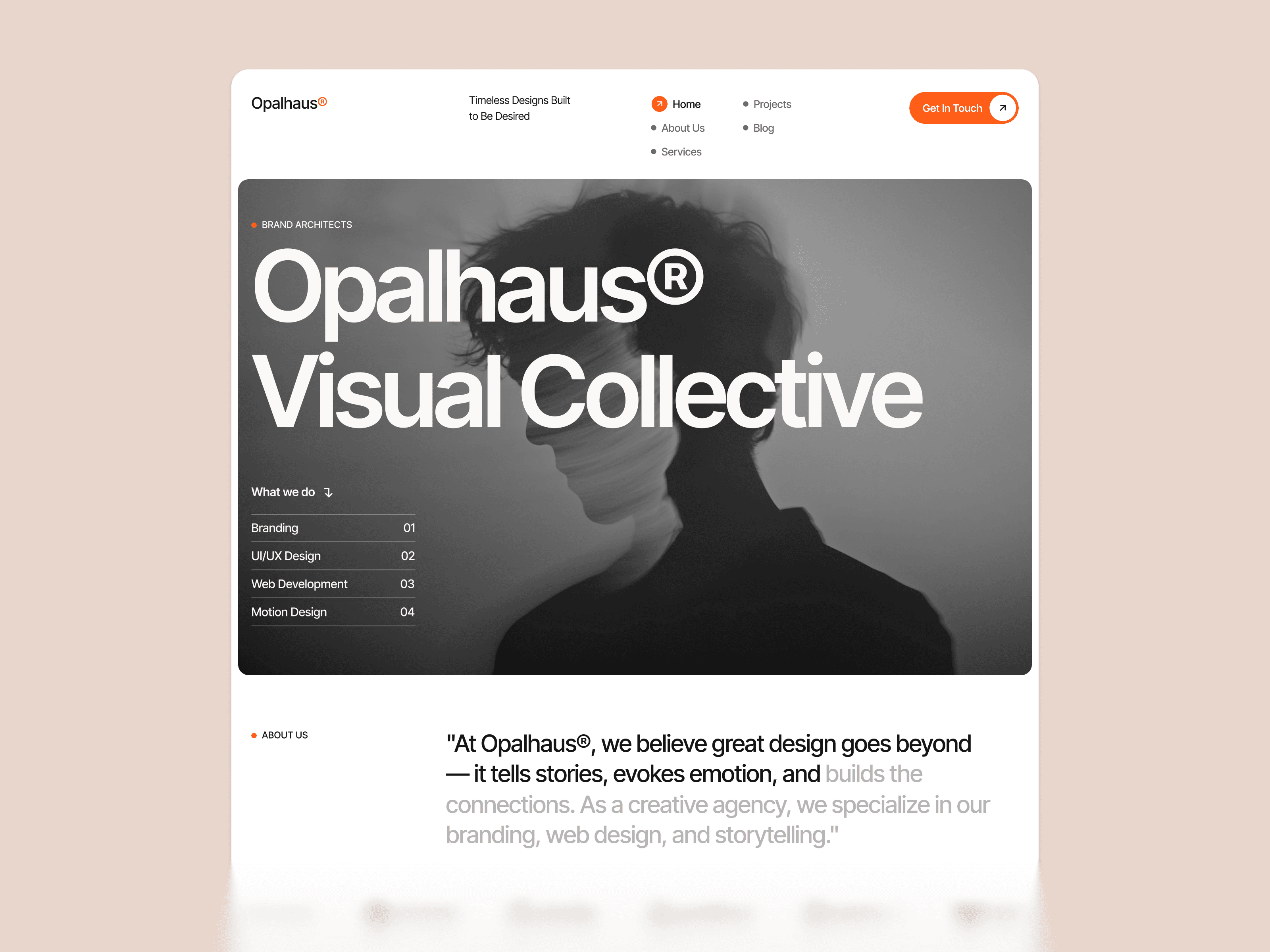
Opalhaus is built for SaaS and technology startups that need to communicate a new product clearly and convert cold visitors into trial signups or waitlist joins before they lose interest or patience. The clean structural layout leads with a conversion-first hero, supports the value proposition with a structured feature section, and routes qualified visitors toward a clear CTA — all without requiring a developer to get from purchase to published. The design system is modern and professional without being narrowly opinionated, which makes it the right choice for a startup that is still refining its visual identity alongside its product positioning.
The page architecture is engineered around the startup buyer journey — problem statement in the hero, capability proof in the features section, credibility signals in the social proof section, and a clear conversion path through pricing and CTA. Every section has a defined purpose tied to a specific stage of the visitor's decision-making process, which is what makes Opalhaus one of the most structurally sound templates in the Webflow startup collection.
Best for: SaaS and technology startups at the MVP or early growth stage, startup founders who need a professional web presence without a design team, B2B startup products targeting business buyers who evaluate on clarity and professional credibility, and any early-stage team that needs to launch a credible website in days rather than weeks.
What's included:
Clean, modern design system adaptable to multiple startup product categories
Problem-led hero section with dual CTA structure
Features section with structured visual capability breakdown
Social proof and client or user logo section for early credibility
Pricing table with plan comparison and recommended plan highlight
Contact and demo request section
Webflow CMS blog section for content marketing
Why it stands out: Opalhaus is the most immediately credible startup template in the Webflow collection — communicating that your product is built for serious use by serious teams before a visitor has read a single word of body copy. For B2B SaaS startups at the early stage, where the primary conversion challenge is establishing credibility rather than educating the buyer, Opalhaus provides the professional foundation that makes a cold visitor willing to consider your product seriously.
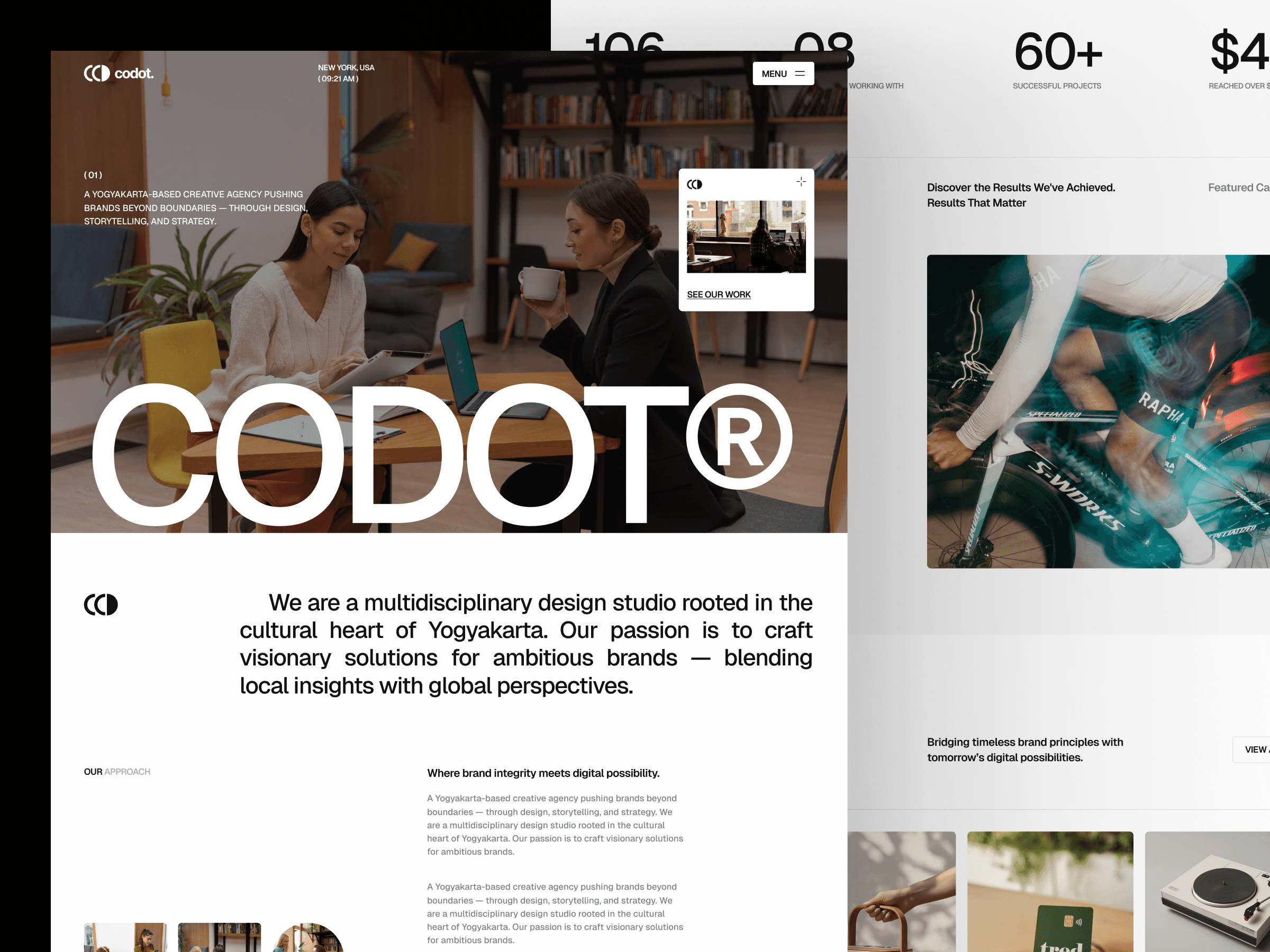
Codot is built for developer-facing startups, technical product teams, and code-focused businesses that need a professional startup web presence with a design language that resonates with a technical buyer immediately. The clean, developer-adjacent aesthetic communicates technical credibility and product depth in a visual register that technical founders, engineering leads, and developer advocates recognize and trust — without the visual noise or conversion-optimization tactics that work for consumer products but actively undermine credibility with technical audiences.
The dual-audience page architecture communicates technical depth to evaluators while maintaining business outcome framing for the decision-makers who control the budget — the specific combination that most developer tool websites fail to achieve. Service pages are structured to present technical capabilities in a way that is legible and compelling to business buyers who are not engineers, which is the conversion-critical communication challenge for any developer tool selling into organizations.
Best for: Developer tool startups, API-first products, technical SaaS products targeting engineering teams, developer platforms and infrastructure tools, code-focused creative businesses, and any startup whose primary buyer is a technical professional who evaluates products on capability and integration depth.
What's included:
Clean, developer-aesthetic design system with technical credibility signals
Services section with technical capability descriptions
Product or portfolio showcase section
Team and credentials section
Client testimonials and social proof
Contact and project inquiry form
Webflow CMS ready for portfolio and blog
Why it stands out: Codot is built for the specific communication challenge of developer tool startups — presenting deep technical expertise in a way that is legible and compelling to both the technical evaluators and the business decision-makers who are involved in the purchase. For any technical startup that has lost deals because their website impressed engineers but confused the people who sign the contracts, Codot's dual-audience architecture is the right structural starting point.
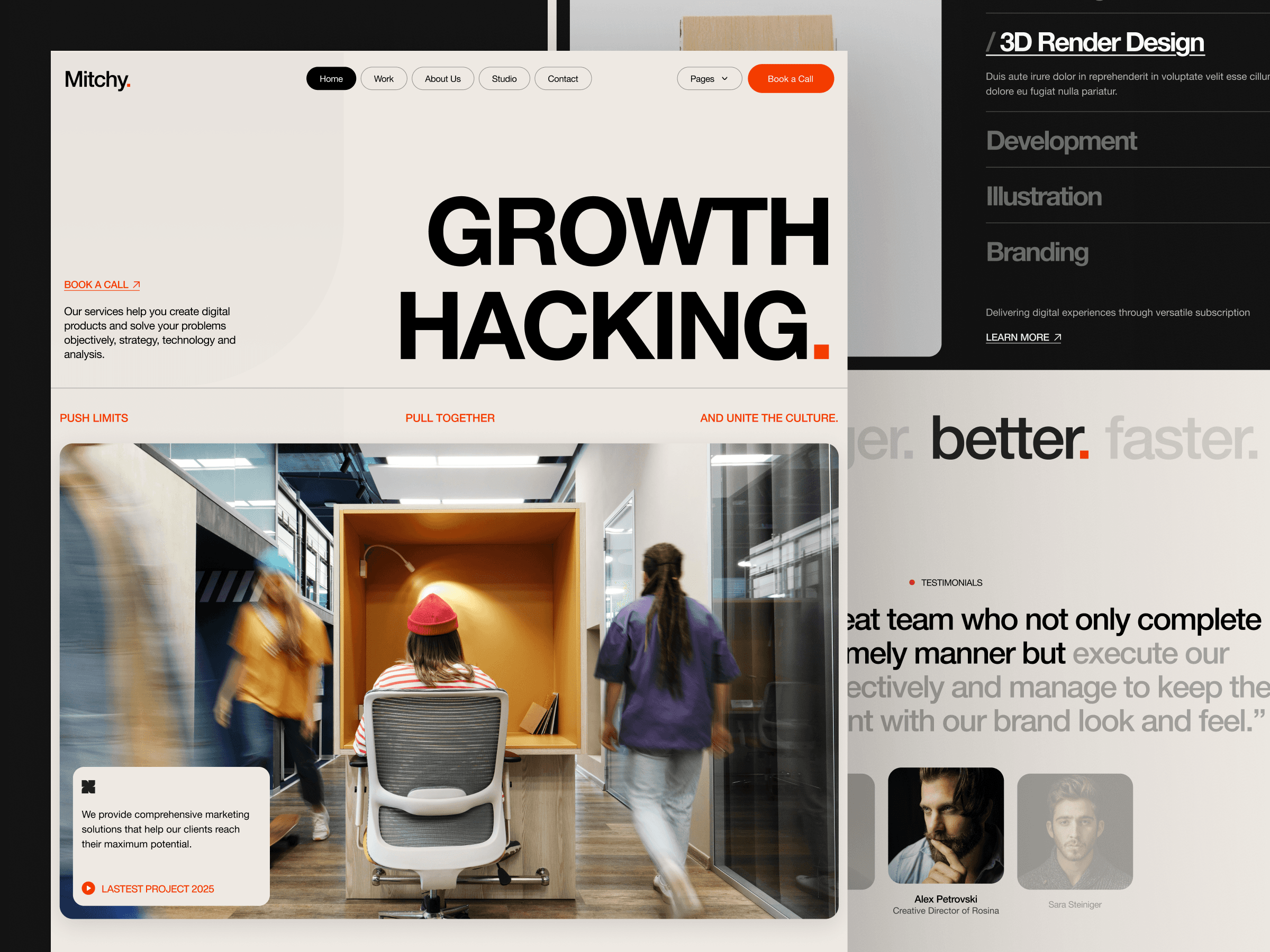
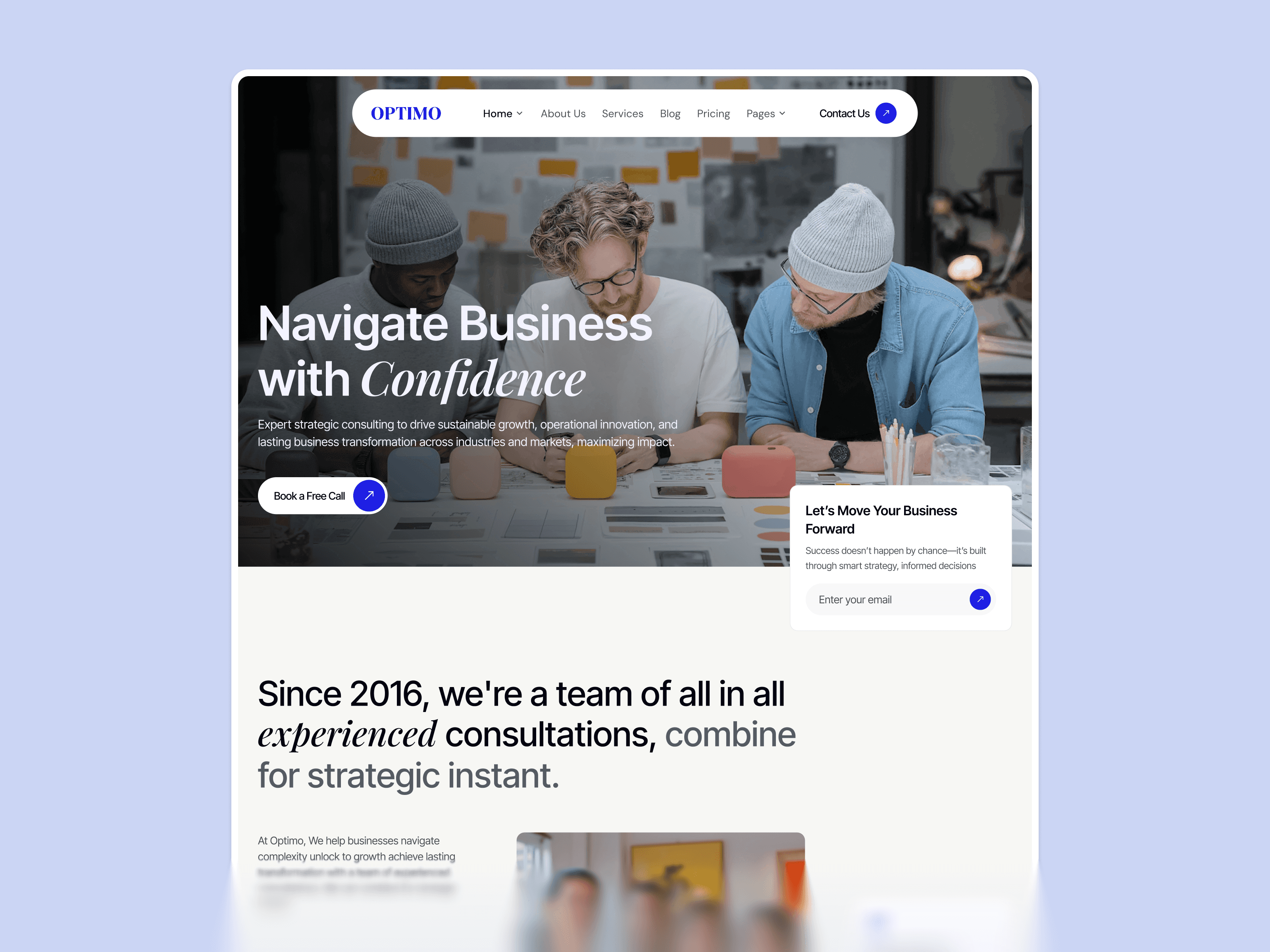
Mitchy is the most structurally flexible startup template in the Webflow collection — built for early-stage products and startup teams that need a clean, professional web presence without committing to a narrow visual identity before they have fully validated their positioning. The modular section structure, adaptable hero, and versatile content blocks make it the right starting point for any startup that needs flexibility as their product and messaging evolve — which describes the majority of startups in the first six months after launch.
The design system is clean rather than opinionated, which is a deliberate strategic choice rather than a limitation. For a startup that is still testing positioning angles, refining its target audience, or evolving its product messaging, a template with a strong predetermined visual identity creates friction every time the messaging needs to change. Mitchy is structured so that updating the headline, rewriting the features section, or shifting the primary CTA does not require rebuilding the page from scratch.
Best for: Multipurpose SaaS startups, early-stage products still refining their positioning, startup studios building multiple products, founders who need a structurally flexible template that will not constrain evolving messaging, and any startup team that prioritizes the ability to iterate quickly over having a predetermined aesthetic.
What's included:
Clean, adaptable design system that supports multiple startup product categories
Flexible hero section with adaptable headline structure
Modular features section for different product capability types
Social proof section adaptable to different audience types
Pricing table with multi-plan structure
Blog-ready Webflow CMS structure
Multiple layout variations for maximum customization flexibility
Why it stands out: Mitchy is the right choice when your startup does not fit neatly into a single product category or when you are still testing which positioning angle converts best with your target audience. Most startup templates are built for one specific type of product. Mitchy is built for breadth — giving you the structural flexibility to adapt as your product and market understanding evolve without rebuilding your website every time your messaging changes.
Webflow SaaS Templates
SaaS websites are part of the product experience — not just a marketing front. The moment a visitor lands, they are beginning to evaluate your product's quality, reliability, and fit. The best Webflow SaaS templates are engineered around how SaaS buyers actually make purchasing decisions, not around what looks impressive in a screenshot.
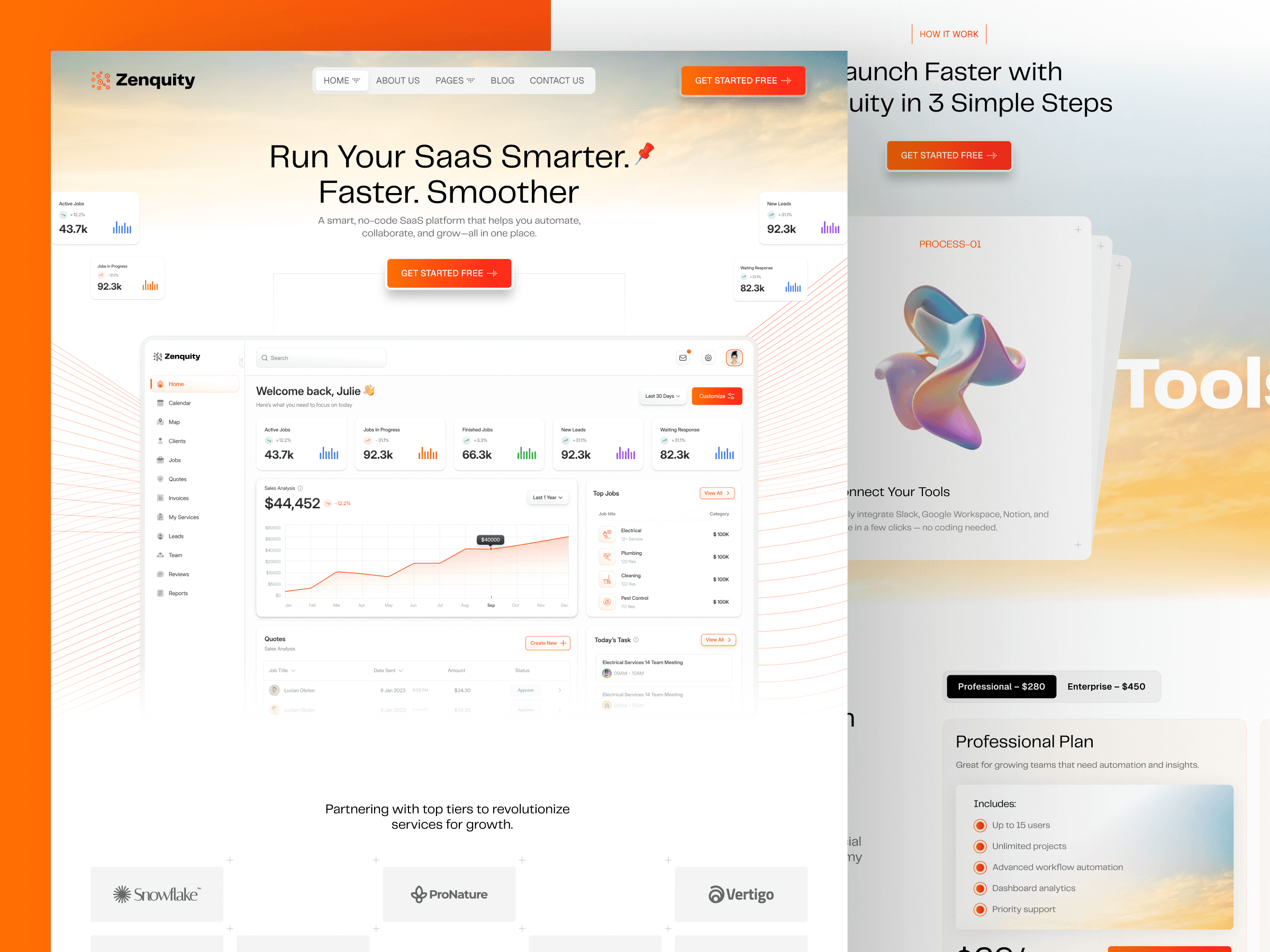
For B2B SaaS products, Zenquity's clean, authoritative design system and structured feature breakdown communicate the reliability and organizational capability that business buyers evaluate before committing to a new software relationship. The problem-led hero, enterprise social proof placement, and demo request CTA structure all reflect how B2B software is actually evaluated and purchased when multiple stakeholders are involved in the buying decision. The pricing section is structured for plan comparison with a clear recommended plan highlight — reducing the cognitive load that makes SaaS pricing pages a common conversion bottleneck.
Best for: B2B SaaS platform founders, enterprise software product teams, productivity and workflow software, multi-segment SaaS products targeting business buyers.
Why it stands out: The most authoritative and business-appropriate SaaS template in the Webflow collection — communicating professional credibility and organizational capability to business buyers who evaluate software on reliability before features.

For AI writing, productivity, and workflow SaaS products, Gilberto's distinctive dark design system and multi-panel UI showcase communicate the visual sophistication and feature depth that this specific buyer category expects. The platform stats section gives early-stage SaaS founders a structural framework for communicating traction at whatever scale is accurate for their product — presenting even modest early usage numbers in a visual context that communicates the product is real and in active use.
Best for: AI productivity SaaS, workflow automation platforms, content intelligence tools, developer-adjacent SaaS with a technical buyer.
Why it stands out: Shows the product working across multiple contexts simultaneously — the most effective structural element for SaaS products where a demo is the normal conversion path and where communicating feature depth before the demo is the critical first step.
For conversational AI and chatbot SaaS products, Chatpilot makes the abstract product experience concrete before a visitor has to request a demo or start a trial. The terminal-style design, chat UI hero, operational metrics, and step-by-step explanation section are all purpose-built for dialogue-driven SaaS products and the technical buyers who evaluate them on capability and integration depth rather than visual presentation.
Best for: AI chatbot SaaS, conversational AI platforms, AI agent builders, customer support automation software, developer-facing AI products.
Why it stands out: The only SaaS template in the Webflow collection built specifically for dialogue-driven product experiences — where demonstrating the product in the hero is the most critical conversion element and where the technical buyer's evaluation process requires showing capability before asking for commitment.

Saatify is a clean, structured SaaS template built for B2B software products and marketing platforms that need to explain a professional offering clearly and drive trial signups or demo requests from a business audience. The outcome-led hero, feature breakdown, transparent pricing section, and social proof placement address the specific credibility signals that B2B SaaS buyers evaluate before they will consider connecting a new platform to their existing workflow or recommending it internally.
Best for: B2B SaaS products, marketing technology platforms, business productivity software, professional tools targeting team leads and operations buyers.
Why it stands out: Saatify combines clarity with professional credibility — the two most important conversion signals for a B2B SaaS product where the buyer is evaluating whether to trust a new tool with their team's time and their company's data.
Webflow Portfolio Templates
A portfolio website is your most powerful sales tool — and how it presents your work in the first three seconds determines whether a potential client scrolls or leaves. The best Webflow portfolio templates put your work front and center with case study depth, personal brand expression, and inquiry flows that convert viewers into clients rather than just admirers.
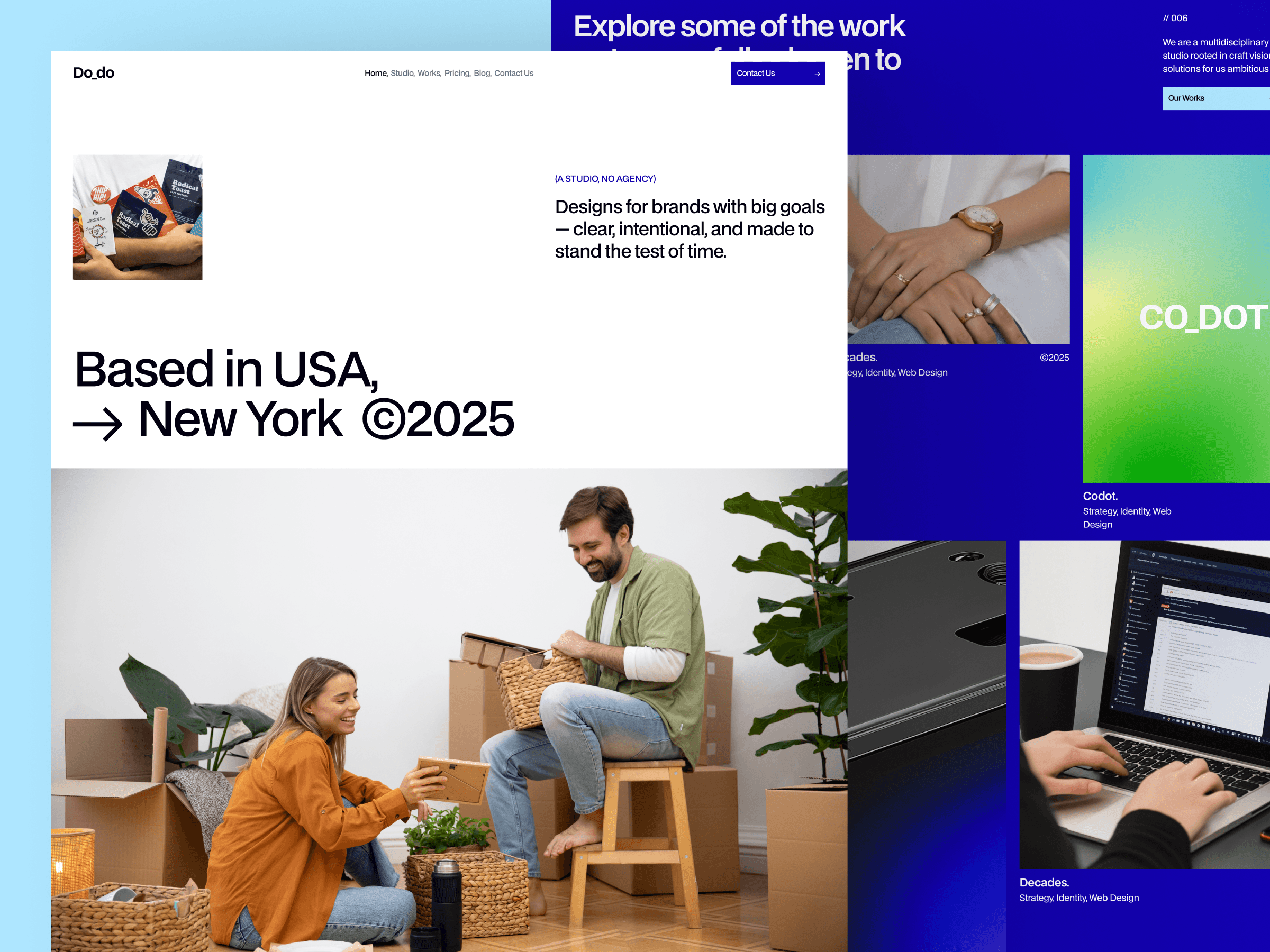
As a portfolio template, Do Do Studio carries both individual creative identity and studio-level design authority simultaneously — the combination that attracts the right clients rather than just impressing the wrong ones. The portfolio sections are structured to present work at full visual impact, the studio story communicates the philosophy behind the work, and the contact flow makes it frictionless for a qualified potential client to reach out once they have seen enough to be convinced.
Best for: Creative studio portfolios, design agency websites, senior designers building studio-level positioning, branding and identity studios.
Why it stands out: The only portfolio template in the Webflow collection built to communicate both individual creative talent and studio-level design authority in the same page structure — the combination that converts premium clients rather than just attracting admirers.
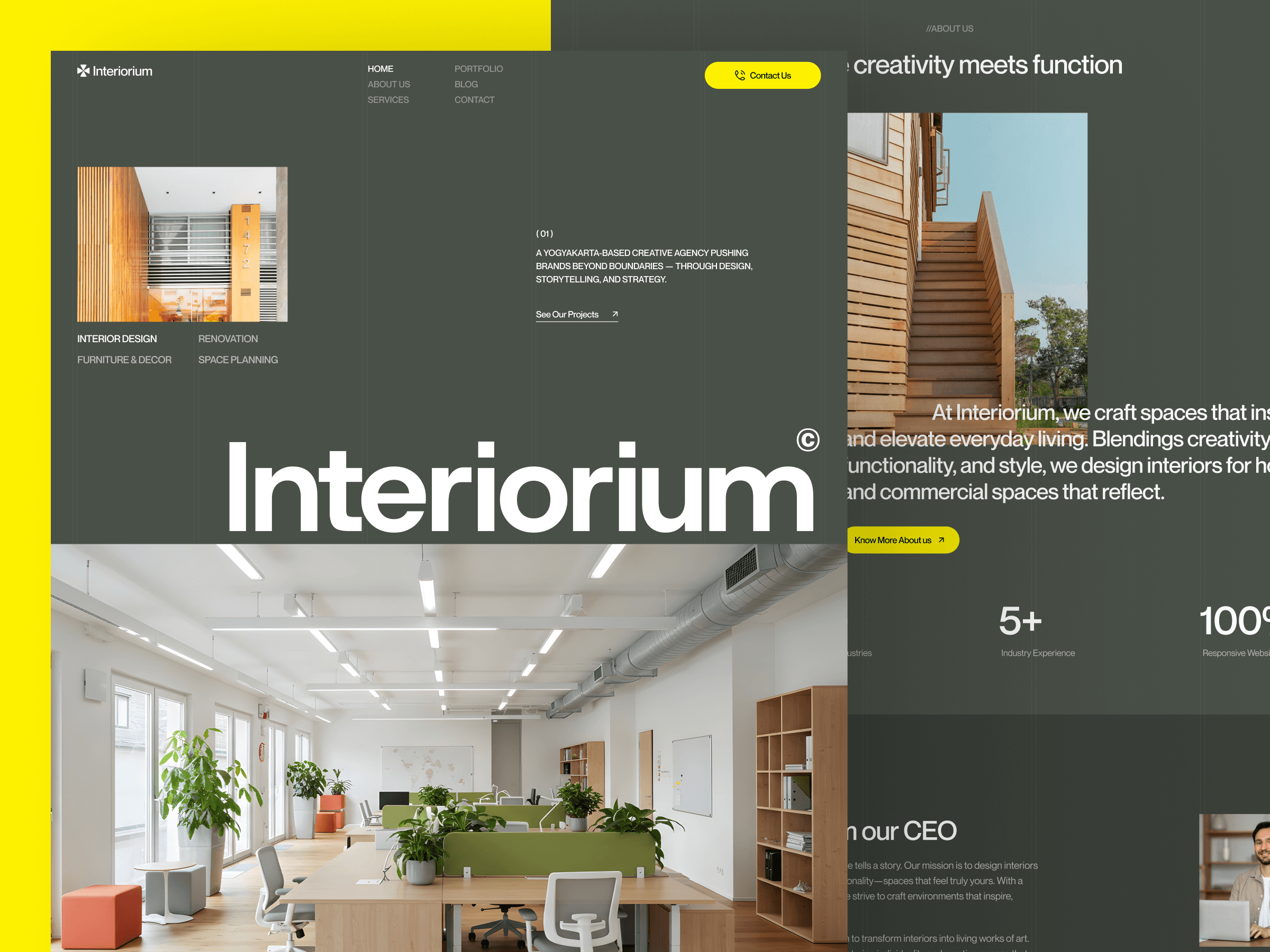
As a portfolio template, Inoteriorum presents spatial design work at the scale and in the visual environment that interior design and architecture photography requires to communicate its full quality. The full-width photography sections and refined editorial layout create a presentation environment where the work is the dominant element and the template disappears into the background — which is exactly what a spatial design portfolio needs.
Best for: Interior design studio portfolios, architecture practice websites, spatial design consultancy portfolios, luxury residential and commercial design firms.
Why it stands out: Purpose-built for spatial design portfolio presentation — the only Webflow portfolio template in the collection that is designed around how interior design and architecture clients actually evaluate studios: through visual impression at scale, before credentials or case study depth.
Arvynix is a clean, structured portfolio template built for freelance designers, developers, and independent creative professionals who need a professional web presence that puts their work front and center without visual distraction. The service breakdown, project showcase, and direct contact flow make it straightforward for a qualified potential client to understand what you do, see evidence of your work, and reach out without friction — which is the conversion goal of every freelancer portfolio.
Best for: Freelance designers and developers, independent creative professionals, digital marketing freelancers, UX designers, and any solo professional building a client-facing portfolio website.
Why it stands out: Arvynix is the most conversion-focused freelancer portfolio template in the Webflow collection — structured around the specific decision journey of a potential client evaluating a solo professional: capability understanding first, work evidence second, contact when they have seen enough to be confident.
How to Choose the Best Webflow Template for Your Business
With templates across every major category, the decision comes down to four factors applied in sequence. Work through these four steps before selecting a template and you will avoid the most common and costly mistakes.
Step 1 — Define your primary conversion goal. Are you driving trial signups, demo requests, client inquiries, portfolio views, or waitlist joins? Every template in the Pentaclay Webflow library is structurally optimized for one or two of these goals. Choosing a template optimized for your specific goal is more important than any design preference.
Step 2 — Match your buyer. Who is making the decision to engage with you? A B2B enterprise buyer evaluates on completely different signals from a freelance design client. A fintech buyer applies more skepticism than a startup founder. A creative studio client makes decisions based on visual impression in the first three seconds. The template's structural architecture needs to match the way your specific buyer actually makes decisions.
Step 3 — Evaluate the content fit. Does the template's section structure match what you actually have to say right now? A template with a large case study section is a liability if you do not have case studies yet. A CMS blog section adds complexity you do not need if you are not investing in content marketing. Choose a template whose section structure you can populate authentically from day one — not aspirationally from some future date.
Step 4 — Confirm CMS and scaling needs. If you plan to grow through content marketing, portfolio updates, or product changelogs — confirm the template has Webflow CMS collections pre-configured for your content type. Adding CMS to a template that was not built for it requires significant structural work. Starting with CMS infrastructure in place costs nothing extra and saves weeks later.
Common Mistakes to Avoid When Choosing a Webflow Template
Choosing based on aesthetics alone. A visually impressive template that is structured for the wrong conversion goal consistently underperforms a simpler template built for your specific use case. Structure beats aesthetics in conversion performance every time. Evaluate the page architecture first and the visual design second.
Ignoring mobile responsiveness. A significant portion of your traffic — especially from social, ads, and referrals — arrives on mobile. Templates that look exceptional on desktop but feel cramped or broken on mobile are actively losing you conversions from high-intent visitors every day.
Overlooking content strategy fit. Even the best template cannot compensate for weak or misaligned content. Before choosing a template, confirm that its section structure matches what you actually have to say — not what you aspire to have eventually.
Underestimating CMS needs. If you plan to publish regular content — blog posts, case studies, product updates, portfolio entries — confirm the template has CMS infrastructure built in. Adding CMS to a Webflow template retrospectively is significantly more work than starting with one that has it pre-configured.
Treating the template as the finished product. A template is a starting point, not a destination. The customization work — updating copy to reflect your specific positioning, swapping images for your actual work, adjusting brand colors and typography — is where the template becomes your website. Budget time for that customization pass before your launch date.
Frequently Asked Questions
What are the best Webflow templates overall?
The best template depends entirely on your use case. For SaaS: Zenquity, Saatify. For AI products: Zenquity, Gilberto, Chatpilot. For agencies: Do Do Studio, Inoteriorum, Arvynix. For startups: Opalhaus, Codot, Mitchy. For portfolios: Do Do Studio, Inoteriorum, Arvynix. Each template in the Pentaclay Webflow library is documented with its specific use case, primary buyer, and structural strengths — so you can match template to goal rather than choosing by design preference alone.
Are Webflow templates SEO-friendly?
All Pentaclay Webflow templates are built with clean HTML structure, semantic heading hierarchy, and performance-optimized code. Webflow gives you full control over title tags, meta descriptions, canonical URLs, and Open Graph fields at the page level. Templates with Webflow CMS blog sections give you the content marketing infrastructure to build organic authority from launch day.
Can I use Webflow templates for client websites?
Yes — with a commercial license. Single-template purchases cover one website. If you build websites for clients regularly, the All Access plan at $169/year covers unlimited websites across the entire Pentaclay library — making the per-project cost significantly lower than individual template purchases.
Do I need a Webflow subscription to publish?
Yes — a Webflow hosting plan is required to publish on a custom domain. Webflow's Basic plan ($14/month) covers a single static site. The CMS plan ($23/month) is recommended for templates with dynamic blog, portfolio, or changelog sections. The template purchase is a one-time cost separate from the ongoing hosting subscription.
How long does it take to customize and launch a Webflow template?
For a focused customization pass — updating copy, swapping images, adjusting brand colors and typography — most founders and teams report 4 to 8 hours to a publish-ready state. A full customization including new sections, additional pages, Webflow CMS configuration, and custom domain setup typically takes a weekend. No developer required.
What is the difference between a single license and All Access?
A single-template license covers one website at a one-time price of $59 to $99. The All Access plan at $169/year covers unlimited websites across the entire Pentaclay library — 15+ Webflow templates, 50+ Framer templates, and 60+ Figma templates. All Access is the right investment for agencies managing client sites, founders building multiple products, or studios that want unlimited access to the full library as it grows.
Is Webflow better than Framer for templates?
It depends on your goals. Webflow offers more granular design control, a more mature CMS system, and stronger ecommerce capabilities — making it the stronger choice for content-heavy sites, complex dynamic structures, and ecommerce. Framer prioritizes design speed and interactive animation — making it the stronger choice for modern SaaS landing pages and highly animated product sites. See the full comparison at Framer vs Webflow.
Can beginners use Webflow templates?
Yes. Webflow's Designer allows full customization without code — text editing, image replacement, color and typography adjustments, section reordering, and basic CMS configuration are all available in the visual interface. Most founders, marketers, and creative professionals with no prior Webflow experience report being comfortable with the Designer within the first two hours of use.
The Pentaclay Webflow template library covers every major website category — SaaS and AI products, creative and performance agencies, early-stage startups, portfolio and personal brand sites, and ecommerce businesses. Every template is documented with its specific use case, primary buyer, and structural strengths so you can make an informed decision based on your actual goals rather than design preference alone.
Paid options range from $59 to $99 for a single-site license with lifetime updates. All include live previews of every page before purchase. Browse by category above, compare by use case, and launch when you are ready — or unlock unlimited access to the full Pentaclay library with the All Access plan at $169/year and build without limits across Webflow, Framer, and Figma.
👉 Browse all Webflow templates · See best Webflow SaaS templates · See best Webflow agency templates · See best Webflow AI templates · See best Webflow startup templates · See best Webflow portfolio templates · Compare Framer vs Webflow


