Webflow Template Customization Guide
A well-executed Webflow template customization strategy helps businesses improve branding, SEO, responsiveness, and conversion-focused user experience.
This Webflow template customization guide explains:
how to customize Webflow templates professionally
how Webflow website templates are structured
how to edit layouts and typography
how to optimize templates for branding and scalability
how to improve SEO and responsive performance
Whether you are building:
this guide will help you transform a generic template into a fully customized website aligned with your business goals.
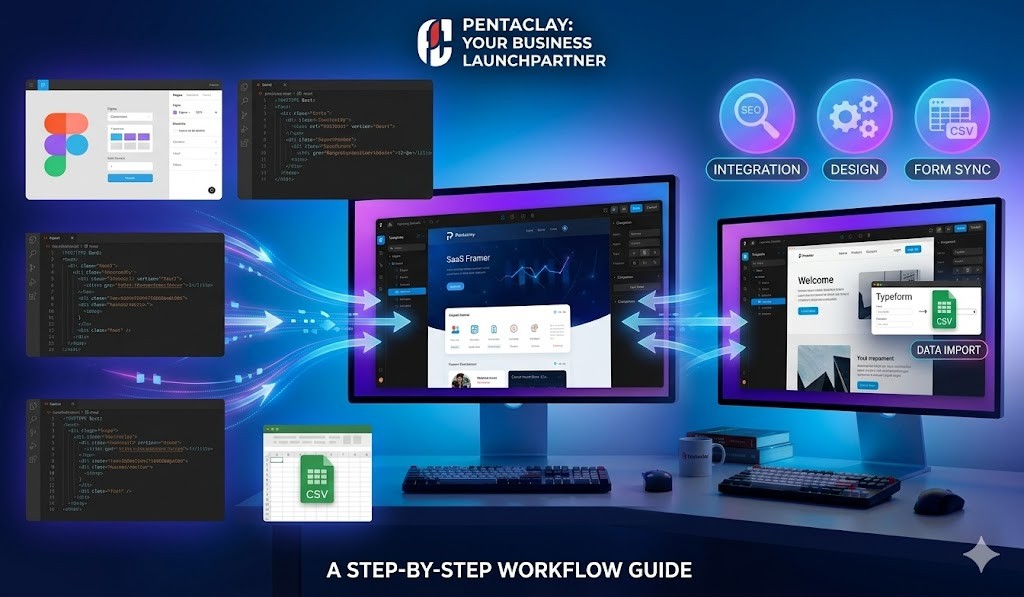
A well-executed Webflow template customization strategy helps businesses improve branding, SEO, responsiveness, and conversion-focused user experience.
This Webflow template customization guide explains:
how to customize Webflow templates professionally
how Webflow website templates are structured
how to edit layouts and typography
how to optimize templates for branding and scalability
how to improve SEO and responsive performance
Whether you are building:
this guide will help you transform a generic template into a fully customized website aligned with your business goals.
Why Webflow Template Customization Matters
Modern templates provide strong design foundations, but businesses still need websites that reflect:
unique branding
positioning
messaging
user experience
conversion strategy
Using a template exactly as it comes often creates websites that:
look generic
lack brand personality
fail to differentiate from competitors
reduce trust
weaken conversions
At Pentaclay, we believe templates should function as:
👉 scalable website systems
—not finished websites.
Strategic Webflow template customization improves:
SEO performance
branding consistency
responsive UX
lead generation
scalability
Businesses using professionally structured Webflow templates often launch faster while maintaining stronger visual consistency and modern UX.
The Pentaclay Website Customization Framework™
One of the biggest website mistakes is prioritizing visuals without considering:
structure
messaging
conversions
scalability
At Pentaclay, we recommend customizing websites using this framework:
Structure → Branding → Trust → Conversion
Structure
Website structure determines:
readability
navigation
hierarchy
storytelling
Businesses using:
often benefit from stronger onboarding flow and clearer messaging structure.
Branding
Customization should reinforce:
typography
colors
imagery
spacing
visual rhythm
Strong branding helps businesses stand out and improve memorability.
This is especially important for:
consultants
personal brands
creative studios
Trust
Professional websites should include:
testimonials
case studies
client logos
credibility indicators
social proof
Businesses using:
👉 Webflow templates with CMS
can scale trust-focused content more efficiently.
Conversion
High-performing websites guide users toward:
inquiries
bookings
demos
signups
Templates with:
CTA sections
pricing blocks
booking forms
lead generation layouts
often convert more effectively.
Explore:
👉 Webflow templates with booking forms
Understanding Webflow Template Structure
Before customizing a template, it is important to understand how Webflow website templates are structured.
This prevents:
layout inconsistency
design issues
responsive problems
inefficient editing
H3: Layout System
Webflow templates use:
sections
containers
grids
reusable elements
A typical structure includes:
hero sections
feature grids
testimonials
CTA blocks
footer systems
Understanding layout hierarchy makes customization easier and more scalable.
Style Panel
The Webflow Style Panel allows users to customize:
typography
spacing
colors
shadows
borders
layout behavior
Using global styles improves:
consistency
scalability
editing efficiency
Reusable Components
Many professional templates include reusable:
navigation systems
footers
CTA blocks
cards
testimonials
Updating reusable components helps maintain design consistency across all pages.
Businesses planning content-driven websites should explore:
👉 Webflow CMS templates
Responsive Layout Structure
Modern websites must work across:
desktop
tablet
mobile landscape
mobile portrait
Responsive optimization improves:
UX
SEO
engagement
This is especially important for:
👉 local SEO websites
How to Customize Webflow Templates Professionally
1. Reorganize Layout Flow
Every business communicates differently.
Examples:
startups prioritize onboarding clarity
agencies prioritize trust and case studies
SaaS companies prioritize features and conversion
portfolios prioritize visual storytelling
Reorganizing sections improves:
readability
storytelling
user flow
conversion hierarchy
Example High-Converting Startup Structure
Section | Purpose |
Hero | Explain value proposition |
Social proof | Build credibility |
Features | Explain benefits |
Product visuals | Demonstrate usability |
Testimonials | Reduce skepticism |
CTA | Drive action |
Explore:
Best Webflow Templates
2. Modify or Replace Sections
Not every template section will support your goals.
Examples:
agencies may require case-study sections
consultants may require booking workflows
startups may require onboarding sections
Replacing unnecessary sections improves:
focus
clarity
UX
This strategy works particularly well for:
service businesses
creative studios
3. Improve Spacing & Visual Hierarchy
Professional websites rely heavily on:
whitespace
spacing rhythm
typography hierarchy
layout balance
Review:
margins
padding
section spacing
alignment
Good spacing improves:
👉 professionalism and readability.
Many high-converting agency templates use spacing strategically to improve trust.
Typography & Branding Customization
Typography and colors strongly affect how users perceive a website.
Brand Colors
A professional color system should include:
primary brand color
secondary accent color
neutral backgrounds
Consistent color usage improves:
visual identity
professionalism
recognition
Examples of strong branding systems can be found inside:
Typography Systems
Typography communicates:
personality
professionalism
tone
Examples:
startups often use modern sans-serif fonts
creative studios may use expressive typography
corporate businesses use minimalist typography
Consistency improves:
👉 visual harmony and readability.
Visual Hierarchy
Proper heading hierarchy improves:
readability
SEO
scanability
Recommended structure:
H1 for page title
H2 for major sections
H3 for subsections
This structure helps both:
👉 users and search engines.
Adding High-Converting Sections
Templates are foundations—not complete growth systems.
Additional sections often improve:
SEO
authority
trust
lead generation
Service Sections
Service sections help businesses explain:
capabilities
expertise
solutions
These sections are especially important for:
agencies
consultants
service businesses
Testimonials
Testimonials improve:
trust
credibility
conversion rates
Include:
client names
logos
measurable outcomes
Blog Sections
Content marketing supports:
SEO
topical authority
organic traffic growth
Businesses planning:
blogs
educational content
SEO clusters
should prioritize:
👉 Webflow templates with CMS
CTA Sections
High-performing websites repeat CTAs strategically throughout the page.
Examples:
Book Consultation
Start Free Trial
Contact Us
Schedule Demo
Explore:
👉 templates with booking forms
Optimizing Webflow Templates for Branding
Customization should reinforce:
👉 brand identity and trust.
Consistent Design System
Consistency improves:
professionalism
UX
credibility
Maintain consistency in:
typography
spacing
buttons
color systems
Brand Messaging
Strong websites communicate:
positioning
value proposition
trust
expertise
This includes:
headlines
CTAs
service descriptions
case studies
Businesses building:
consulting businesses
startup websites
should prioritize:
👉 messaging clarity over excessive visuals.
Visual Storytelling
Images help communicate:
brand personality
product quality
professionalism
Use:
authentic imagery
screenshots
illustrations
lifestyle photography instead of generic stock visuals.
Common Webflow Customization Mistakes
Overcomplicating Layouts
Overdesigned websites often:
confuse visitors
reduce clarity
hurt performance
The best websites prioritize:
👉 simplicity + clarity + conversion.
Ignoring Mobile UX
Always review:
mobile spacing
typography scaling
responsive layouts
CTA visibility
This is especially important for:
👉 local SEO websites
Weak SEO Structure
Many businesses ignore:
semantic headings
CMS structure
internal linking
content scalability
Learn more:
👉 Webflow SEO Guide
Generic Branding
Templates should feel unique.
Avoid:
placeholder copy
generic imagery
inconsistent typography
Strong branding creates:
👉 memorability and trust.
Related Webflow Guides
Explore more Pentaclay resources:
Webflow Template Buying Guide
Webflow SEO Guide
Best Webflow Templates
Frequently Asked Questions
What is Webflow template customization?
Webflow template customization involves modifying:
layouts
colors
typography
sections
branding
content structure
to align websites with business goals and brand identity.
Can beginners customize Webflow templates?
Yes.
Webflow’s visual editor allows beginners to customize layouts and content without advanced coding knowledge.
Are Webflow templates flexible?
Most professional Webflow templates are highly customizable and support:
CMS
responsive layouts
reusable components
advanced styling systems
Do I need coding knowledge to edit Webflow templates?
Basic customization does not require coding.
However, advanced functionality may benefit from:
HTML
CSS
JavaScript knowledge
Can I add new pages to a template?
Yes.
Webflow allows users to create new pages while maintaining:
design consistency
reusable styles
responsive layouts
Does customization affect website performance?
If done properly, customization should not negatively affect performance.
Optimized:
images
layouts
animations
CMS systems
help maintain:
👉 fast loading speeds and better UX.
Website templates provide one of the fastest ways to launch professional websites, but customization is what transforms templates into powerful branded experiences.
A strategically customized Webflow website improves:
branding
SEO
responsiveness
trust
conversions
scalability
Webflow stands out because it provides:
granular design control
responsive editing
CMS flexibility
scalable website systems
By understanding:
template structure
responsive design
branding systems
typography
conversion strategy
SEO architecture
businesses can transform generic templates into:
👉 modern, professional, growth-focused websites.
At Pentaclay, we believe the best websites combine:
strategic structure
scalable systems
conversion-focused UX
semantic SEO architecture
And effective Webflow template customization is a major part of building that foundation.